Minisforum MS-A2 HOW TO: Fix the Failed to Update CPU#0 Microcode PSOD with ESXi 8.0.3i ESXi 8.0u3i
HOW TO: Fix “Failed to update CPU#0 microcode” PSOD on ESXi 8.0.3i (Minisforum MS-A2)
In this guide from Hancock’s VMware Half Hour, I demonstrate how to fix the Purple Screen of Death (PSOD) error:
“Failed to update CPU#0 microcode”
This issue occurs when installing or booting VMware ESXi 8.0 Update 3i (ESXi 8.0.3i)
on the Minisforum MS-A2 mini workstation.
ESXi 8.0.3i, released on 2 March 2026, includes security fixes for CVE-2025-15467, an OpenSSL vulnerability. If you are running ESXi and have not
patched yet, you should update as soon as possible.
However, this update also includes new AMD CPU microcode updates, which currently
appear to trigger a PSOD during boot on the Minisforum MS-A2 platform.
The Problem
When booting the ESXi 8.0.3i installer (for example from Ventoy) on the
Minisforum MS-A2, the system may fail during boot with the following PSOD message:
The system has found a problem on your machine and cannot continue.

Failed to update CPU#0 microcode
This prevents ESXi from completing the boot process or installer launch.
Why This Happens
The ESXi 8.0.3i update includes newer AMD microcode updates intended to improve
security and stability. Unfortunately, these updates currently appear to be incompatible with the MS-A2 platform, which results in the microcode update failing
during boot.
When the microcode update fails, ESXi halts the boot process and displays the PSOD.
The Workaround
Until VMware releases a permanent fix, the issue can be worked around by using a kernel boot option during ESXi startup.
Steps to Fix
Boot the ESXi 8.0.3i installer.
When the ESXi boot screen appears, press Shift + O.
This opens the ESXi boot options.
Add the required kernel option shown in the video.
Press Enter to continue booting.
With the boot option applied, ESXi should boot successfully on the Minisforum MS-A2.
Video Walkthrough
Watch the full walkthrough below where I demonstrate the issue and apply the workaround.
What You Will Learn
What changed in ESXi 8.0.3i
Why AMD microcode updates trigger a PSOD
How to reproduce the issue during boot
The Shift + O ESXi boot workaround
How to confirm the fix works successfully
Credits
Huge thanks to members of the VMware community who investigated and documented this issue:
Stephen Wagner
Patrick Kernstock
vAndu
Martin Gustafsson
Their research and testing helped identify the workaround shown in this video.
Minisforum MS-A2: How to Install the New Realtek Driver on VMware ESXi 9.0
Running VMware ESXi 9.0 on the Minisforum MS-A2 is a fantastic option for homelabs and edge deployments, but out of the box you may notice that not all Realtek network interfaces are detected.
In this guide, based on my latest episode of Hancock’s VMware Half Hour, I walk through installing the new Broadcom-compiled Realtek driver (available as an official Broadcom Fling) to unlock additional NIC support.
What This Guide Covers
Why Realtek NICs are limited by default on ESXi 9.0
Where to download the official Broadcom Fling driver
Installing the driver using esxcli
Rebooting safely and verifying NIC availability
Supported Realtek Network Adapters
The driver demonstrated in this guide supports the following Realtek PCIe devices:
RTL8111 – 1GbE
RTL8125 – 2.5GbE
RTL8126 – 5GbE
RTL8127 – 10GbE
Driver Installation Command
Once the driver ZIP has been copied to your ESXi datastore and the host is in maintenance mode, install it using:
After installation, a reboot is required for the new network interfaces to become available.
Video Chapters
00:00 - Start
00:03 - Welcome to Hancock's VMware Half Hour
00:37 - Todays video - HOW TO Install Realtek driver on ESXi 9.0
00:55 - Broadcom Released the Realtek Driver fling in November 2025
01:55 - Minisforum MS-A2 - VCF 9.0 Homelab of the Year 2025 !
02:26 - Available as a Broadcom Fling - Tech Preview - not for production
02:55 - I'm not a fan of Realtek let it be known!
03:11 - Go to Broadcom Fling Portal site to download - https://support.broadcom.com/group/ecx/productdownloads?subfamily=Flings&freeDownloads=true
03:22 - Download the driver don't forget to Accept the Agreement!
03:51 - Enable SSH on Host, and use WinSCP to copy to local datastore
04:31 - Whoops Zoom is broke again!
05:07 - Connect to host using SSH
05:22 - Use lspci to show PCI devices in the host
06:05 - Use grep - lspci | grep Realtek
07:01 - Install the driver using esxcli software component apply -d /VMware-Re-Driver_1.101.00-5vmw.800.1.0.20613240.zip
07:59 - A reboot is required, reboot the server
08:36 - Reboot server
09:20 - The reason for the 10th Outake !
10:01 - Login to ESXi 9.0 using HTML Client
10:51 - Realtek driver is installed and network interfaces are available for use
11:07 - HenryChan1973 this video is for you!
12:23 - Thanks for Watching
Final Thoughts
This Broadcom Fling makes ESXi 8.0 far more usable on modern mini PCs like the Minisforum MS-A2, especially for homelabbers who rely on multi-gig Realtek networking.
Huge thanks to Henrychan1973 for their contribution and support.
If this guide helped you, consider subscribing on YouTube and checking out more VMware content on the blog.
Minisforum MS-A2: How to Install the New Realtek Driver on VMware ESXi 8.0
Running VMware ESXi 8.0 on the Minisforum MS-A2 is a fantastic option for homelabs and edge deployments, but out of the box you may notice that not all Realtek network interfaces are detected.
In this guide, based on my latest episode of Hancock’s VMware Half Hour, I walk through installing the new Broadcom-compiled Realtek driver (available as an official Broadcom Fling) to unlock additional NIC support.
What This Guide Covers
Why Realtek NICs are limited by default on ESXi 8.0
Where to download the official Broadcom Fling driver
Installing the driver using esxcli
Rebooting safely and verifying NIC availability
Supported Realtek Network Adapters
The driver demonstrated in this guide supports the following Realtek PCIe devices:
RTL8111 – 1GbE
RTL8125 – 2.5GbE
RTL8126 – 5GbE
RTL8127 – 10GbE
Driver Installation Command
Once the driver ZIP has been copied to your ESXi datastore and the host is in maintenance mode, install it using:
After installation, a reboot is required for the new network interfaces to become available.
Video Chapters
00:00 - Intro
00:06 - Welcome to Hancock's VMware Half Hour
00:31 - Today’s Video – Minisforum MS-A2
01:01 - Installing the ESXi Realtek Driver for ESXi 8.0
01:16 - Shoutout to member Henrychan1973!
02:03 - HTML Client view of network interfaces
03:00 - Broadcom engineering compiled a driver for ESXi 8.0
04:00 - Driver is available as a Broadcom Fling
05:00 - Download the driver from Broadcom Fling portal
05:44 - WinSCP – Copy driver ZIP to ESXi datastore
06:14 - Put host into maintenance mode
07:11 - Only three interfaces supported out of the box on MS-A2
07:16 - Start an SSH session using PuTTY
07:34 - Using lspci | grep Realtek
08:22 - Supported Realtek PCIe devices
08:35 - Installing the driver using esxcli
09:59 - Whoops! Typo!
10:37 - Can you spot it?
11:08 - Driver installed – reboot required
11:27 - Nano KVM issue accepting root password?
11:41 - Reboot via the GUI
12:30 - MS-A2 restarting
13:42 - Driver installed and Realtek interfaces available
14:54 - Thanks to Henrychan1973!
15:15 - Thanks for watching
Final Thoughts
This Broadcom Fling makes ESXi 8.0 far more usable on modern mini PCs like the Minisforum MS-A2, especially for homelabbers who rely on multi-gig Realtek networking.
Huge thanks to Henrychan1973 !!!
If this guide helped you, consider subscribing on YouTube and checking out more VMware content on the blog.
Minisforum MS-A2 Hyper-V to Proxmox 9.0 Migration Minisforum MS-A2 Series Part 15 Ultimate #homelab
In this episode of Hancock’s VMware Half Hour, I walk you through migrating Hyper-V virtual machines to Proxmox 9.0 on the Minisforum MS-A2.
We’ll cover connecting to the Proxmox server via SSH, exploring datastores, working with VHDX files, and running migration demos—including moving a full VM in under 60 seconds! This step-by-step guide shows how easy it is to transition workloads from Hyper-V into Proxmox for your #homelab or production environment.
Whether you’re testing, learning, or planning a migration, this video gives you the tools and knowledge to make it happen smoothly.
Scripts are here on GitHub – https://github.com/einsteinagogo/Hyper-VtoProxmoxMigration.git
Minisforum MS-A2 Can it Play Proxmox 9.0.3 Minisforum MS-A2 Series Part 14 Ultimate #homelab
In this episode of the Minisforum MS-A2 Series, I take the brand-new MS-A2 and put it to the test by installing Proxmox VE 9.0.3. From booting off Ventoy, setting up the U.2 Samsung NVMe, configuring root credentials, and finalizing the installation — all the way to creating and running a Windows Server 2025 VM — we’ll see if the MS-A2 can truly handle Proxmox in a homelab environment.
Along the way, I hit some fun quirks (green screens, missing drivers, and Proxmox guest tools), but by the end we’ve got Windows Server installed and running smoothly.
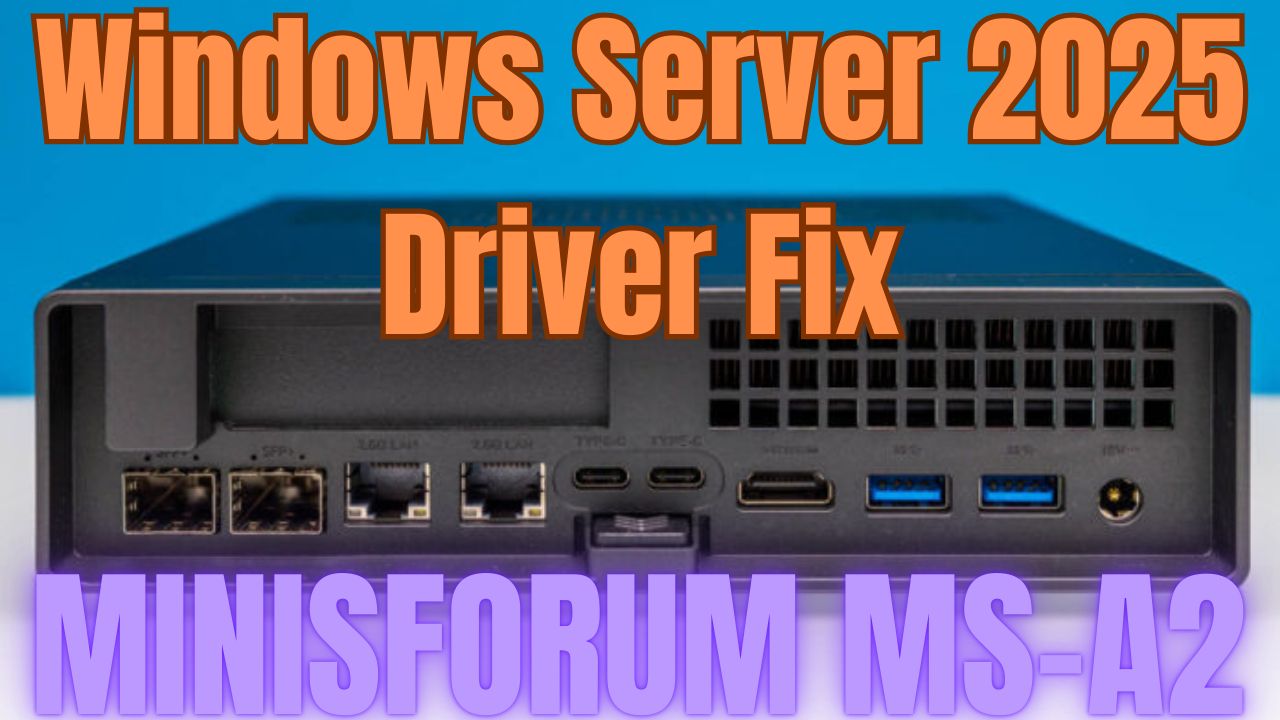
Minisforum MS-A2 Windows Server 2025 Driver Fix Minisforum MS-A2 Series Part 13 Ultimate #homelab
In this episode of the Minisforum MS-A2 Ultimate #homelab series, I walk you through fixing missing drivers in Windows Server 2025 on the MINISFORUM MS-A2. From troubleshooting Device Manager issues to installing the AMD chipset drivers, PSP device, SMBus controller, GPU drivers, and Microsoft Pluton driver, this video will help you get your MS-A2 running smoothly on Server 2025.
Along the way, I also highlight some community contributions, share key tips like disabling power saving mode, and test the latest AMD Software: PRO Edition 25.Q2 for GPU support.
What you’ll learn in this video:
How to fix missing drivers in Windows Server 2025 on the Minisforum MS-A2
Which drivers are required: AMD PSP, SMBus, GPU, Microsoft Pluton
Why you must disable power saving mode for stability
How to install AMD Software: PRO Edition 25.Q2 for GPU support
Special thanks to the community:
LoCo (Scott Fell) for the T-shirt
Jason Macialek
Mark Howell
Perfect for homelab enthusiasts, VMware users, and anyone testing Windows Server 2025 on Minisforum MS-A2.
Don’t forget to like, comment, and subscribe for more VMware + homelab content from Hancock’s VMware Half Hour!
Barebone Minisforum MS-A2 https://amzn.to/3GEoiOA
Crucial DDR5 RAM 96GB Kit (2x48GB) 5600MHz SODIMM https://amzn.to/3Uatfl4
Crucial DDR5 RAM 128GB Kit (2x64GB) 5600MHz SODIMM,https://amzn.to/3Uhef4U
Samsung 990 PRO with Heatsink https://amzn.to/4ePjYsr
Crucial P310 NVMe 1TB 2230 M.2 SSD https://amzn.to/44x055Y
NFHK M.2(A+E Key) 2230MM to NVME M-Key Extension Card Adapter for Motherboard NVME SSD Hard Drive Port Extension 2230/2242/2260/2280MM https://amzn.to/3Ix7rxz
MINISFORUM DEG1 Docking Station, PCIe x16 (PCIe4.0x4), Force Power On, ATX/SFX Power https://amzn.to/41pIYAQ
Purchases made through some store links may provide some compensation to Hancock’s VMware Half Hour
Enjoying the content? Support me with an espresso coffee! Buy Me an Espresso Coffee! – https://buymeacoffee.com/einsteinagogo
Donate – https://www.paypal.com/paypalme/AndrewHancock
Want to support British beekeeping? Get RAW PURE honey here! https://meltonbyhoney.com/ Sorry UK only, unless demand increases to international destinations!
Welcome to Hancock’s VMware Half Hour! In this episode of the Minisforum MS-A2 Series – Part 12 Ultimate #homelab, we take the compact but powerful MS-A2 and push it to the limits by installing VMware vCenter Server 9.0 on ESXi 9.
From installation to configuration and performance benchmarks, I’ll walk you through every step — including DNS setup, deployment options, datastore selection, and SSO configuration. We’ll also run boot speed benchmarks to see just how fast vCenter Server 9.0 can run on the MS-A2. Spoiler: it’s blazing fast! ? It’s on FIRE !
If you’re thinking of building a small, efficient, and powerful #homelab capable of enterprise-level virtualization, this is the video for you.
Minisforum MS-A2 Can it Run ESXi 9.0.0? Minisforum MS-A2 Series Part 11 Ultimate #homelab
Can the Minisforum MS-A2 handle VMware’s latest ESXi 9.0.0?
In Part 11 of the Ultimate #homelab series, we put the MS-A2 to the test with the brand-new VMware vSphere Hypervisor ESXi 9.0. From BIOS boot to creating a demo virtual machine, you’ll see the entire installation process and whether this mini PC can run the latest VMware tech.
Can the powerful Minisforum MS-A2 run VMware vSphere 8.0?
In Part 10 of the Ultimate #homelab series, we put this compact beast to the test by installing VMware vSphere Hypervisor ESXi 8.0.3g and seeing how it performs. From BIOS setup to creating a demo virtual machine, this episode covers the full journey.
What’s Inside This Video:
Installing ESXi 8.0.3g on the Minisforum MS-A2
BIOS configuration & USB boot with Ventoy
Full ESXi setup walkthrough
Creating & running a test VM
Enabling NVMe Memory Tiering with NVMe namespaces
Checking performance and confirming a successful install
If you’ve been wondering whether the MS-A2 can handle serious VMware workloads in a home lab, this is the episode to watch!
Minisforum MS-A2 Can it Play Doom The Dark Ages Minisforum MS-A2 Series Part 8 Ultimate #homelab
DOOM: The Dark Ages Demo on a Minisforum MS-A2 + RTX 3090 eGPU!? ?
You read that right — I’ve upgraded the tiny Minisforum MS-A2 with a serious punch: an OcuLink-connected eGPU dock and a NVIDIA RTX 3090. Now the question is… can it finally handle DOOM: The Dark Ages?
In this video, I run the DOOM: The Dark Ages demo on this mini PC beast-hybrid and test just how much performance you can squeeze out of a small form-factor PC when paired with high-end external graphics.
?? System Setup:
Minisforum MS-A2 (Ryzen AI Mini PC)
Minisforum eGPU Dock with OcuLink
NVIDIA RTX 3090 GPU
128GB RAM, NVMe SSD
Windows 11
? What You’ll See:
Full DOOM: The Dark Ages demo gameplay
Performance stats, FPS, temps
Commentary on eGPU setup, compatibility, and bottlenecks
Was it worth upgrading the MS-A2 with an RTX 3090?
? Have questions about the eGPU dock, OcuLink, or the MS-A2? Drop them in the comments!
? Like, Subscribe, and turn on notifications if you love seeing small PCs pushed to the limit.
Purchase a #homelab here
Barebone Minisforum MS-A2 https://amzn.to/3GEoiOA
Crucial DDR5 RAM 96GB Kit (2x48GB) 5600MHz SODIMM https://amzn.to/3Uatfl4
Crucial DDR5 RAM 128GB Kit (2x64GB) 5600MHz SODIMM,https://amzn.to/3Uhef4U
Samsung 990 PRO with Heatsink https://amzn.to/4ePjYsr
Crucial P310 NVMe 1TB 2230 M.2 SSD https://amzn.to/44x055Y
NFHK M.2(A+E Key) 2230MM to NVME M-Key Extension Card Adapter for Motherboard NVME SSD Hard Drive Port Extension 2230/2242/2260/2280MM https://amzn.to/3Ix7rxz
MINISFORUM DEG1 Docking Station, PCIe x16 (PCIe4.0x4), Force Power On, ATX/SFX Power https://amzn.to/41pIYAQ
Purchases made through some store links may provide some compensation to Hancock’s VMware Half Hour
? Enjoying the content? Support me with an espresso coffee! ? Buy Me an Espresso Coffee! – https://buymeacoffee.com/einsteinagogo
Donate – https://www.paypal.com/paypalme/Andre…
? Want to support British beekeeping? Get RAW PURE honey here! ?https://meltonbyhoney.com/ Sorry UK only, unless demand increases to international destinations!







![[Valid RSS]](http://andysworld.org.uk/images/valid-rss.png "Validate my RSS feed")