Posts Tagged ‘AMD’

Minisforum MS-A2 HOW TO: Fix the Failed to Update CPU#0 Microcode PSOD with ESXi 8.0.3i ESXi 8.0u3i

Wednesday, March 11th, 2026

Minisforum MS-A2 HOW TO: Fix the Failed to Update CPU#0 Microcode PSOD with ESXi 8.0.3i ESXi 8.0u3i


HOW TO: Fix “Failed to update CPU#0 microcode” PSOD on ESXi 8.0.3i (Minisforum MS-A2)

In this guide from Hancock’s VMware Half Hour, I demonstrate how to fix the
Purple Screen of Death (PSOD) error:

“Failed to update CPU#0 microcode”

This issue occurs when installing or booting VMware ESXi 8.0 Update 3i (ESXi 8.0.3i)
on the Minisforum MS-A2 mini workstation.

ESXi 8.0.3i, released on 2 March 2026, includes security fixes for
CVE-2025-15467, an OpenSSL vulnerability. If you are running ESXi and have not
patched yet, you should update as soon as possible.

However, this update also includes new AMD CPU microcode updates, which currently
appear to trigger a PSOD during boot on the Minisforum MS-A2 platform.


The Problem

When booting the ESXi 8.0.3i installer (for example from Ventoy) on the
Minisforum MS-A2, the system may fail during boot with the following PSOD message:

The system has found a problem on your machine and cannot continue.

Failed to update CPU#0 microcode

This prevents ESXi from completing the boot process or installer launch.


Why This Happens

The ESXi 8.0.3i update includes newer AMD microcode updates intended to improve
security and stability. Unfortunately, these updates currently appear to be
incompatible with the MS-A2 platform, which results in the microcode update failing
during boot.

When the microcode update fails, ESXi halts the boot process and displays the PSOD.


The Workaround

Until VMware releases a permanent fix, the issue can be worked around by using a
kernel boot option during ESXi startup.

Steps to Fix

  1. Boot the ESXi 8.0.3i installer.
  2. When the ESXi boot screen appears, press Shift + O.
  3. This opens the ESXi boot options.
  4. Add the required kernel option shown in the video.
  5. Press Enter to continue booting.

With the boot option applied, ESXi should boot successfully on the Minisforum MS-A2.


Video Walkthrough

Watch the full walkthrough below where I demonstrate the issue and apply the workaround.


What You Will Learn

  • What changed in ESXi 8.0.3i
  • Why AMD microcode updates trigger a PSOD
  • How to reproduce the issue during boot
  • The Shift + O ESXi boot workaround
  • How to confirm the fix works successfully

Credits

Huge thanks to members of the VMware community who investigated and documented this issue:

  • Stephen Wagner
  • Patrick Kernstock
  • vAndu
  • Martin Gustafsson

Their research and testing helped identify the workaround shown in this video.

Resources:


Support My Work

? Enjoying the content? Support the channel with an espresso!

Buy Me an Espresso Coffee

Donate via PayPal


Follow Hancock’s VMware Half Hour


Support British Beekeeping ?

If you’d like to support British beekeeping, you can purchase
raw pure honey from my apiaries.

Meltonby Honey – Raw Pure Honey

UK shipping currently only.
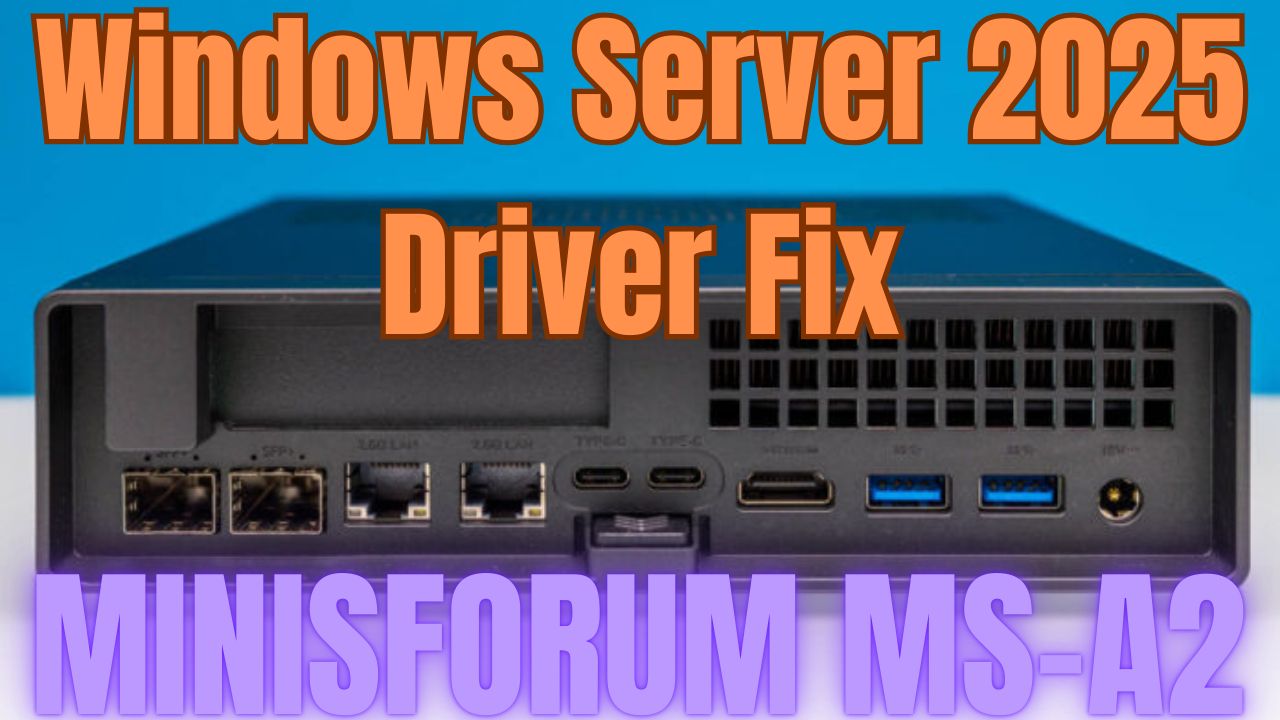
Minisforum MS-A2 Windows Server 2025 Driver Fix Minisforum MS-A2 Series Part 13 Ultimate #homelab

Monday, August 18th, 2025

Minisforum MS-A2 Windows Server 2025 Driver Fix Minisforum MS-A2 Series Part 13 Ultimate #homelab

In this episode of the Minisforum MS-A2 Ultimate #homelab series, I walk you through fixing missing drivers in Windows Server 2025 on the MINISFORUM MS-A2. From troubleshooting Device Manager issues to installing the AMD chipset drivers, PSP device, SMBus controller, GPU drivers, and Microsoft Pluton driver, this video will help you get your MS-A2 running smoothly on Server 2025.


Along the way, I also highlight some community contributions, share key tips like disabling power saving mode, and test the latest AMD Software: PRO Edition 25.Q2 for GPU support.

What you’ll learn in this video:

How to fix missing drivers in Windows Server 2025 on the Minisforum MS-A2
Which drivers are required: AMD PSP, SMBus, GPU, Microsoft Pluton
Why you must disable power saving mode for stability
How to install AMD Software: PRO Edition 25.Q2 for GPU support

Special thanks to the community:

LoCo (Scott Fell) for the T-shirt
Jason Macialek
Mark Howell

Perfect for homelab enthusiasts, VMware users, and anyone testing Windows Server 2025 on Minisforum MS-A2.

 Don’t forget to like, comment, and subscribe for more VMware + homelab content from Hancock’s VMware Half Hour!

Barebone Minisforum MS-A2 https://amzn.to/3GEoiOA
Crucial DDR5 RAM 96GB Kit (2x48GB) 5600MHz SODIMM https://amzn.to/3Uatfl4
Crucial DDR5 RAM 128GB Kit (2x64GB) 5600MHz SODIMM,https://amzn.to/3Uhef4U
Samsung 990 PRO with Heatsink https://amzn.to/4ePjYsr
Crucial P310 NVMe 1TB 2230 M.2 SSD https://amzn.to/44x055Y
NFHK M.2(A+E Key) 2230MM to NVME M-Key Extension Card Adapter for Motherboard NVME SSD Hard Drive Port Extension 2230/2242/2260/2280MM https://amzn.to/3Ix7rxz
MINISFORUM DEG1 Docking Station, PCIe x16 (PCIe4.0x4), Force Power On, ATX/SFX Power https://amzn.to/41pIYAQ
Purchases made through some store links may provide some compensation to Hancock’s VMware Half Hour

Enjoying the content? Support me with an espresso coffee! Buy Me an Espresso Coffee! – https://buymeacoffee.com/einsteinagogo
Donate – https://www.paypal.com/paypalme/AndrewHancock
Want to support British beekeeping? Get RAW PURE honey here! https://meltonbyhoney.com/ Sorry UK only, unless demand increases to international destinations!


Follow Hancock’s VMware Half Hour for more:
YouTube – www.youtube.com/@UCaqYL_WmGJohUoM-CAJk-DQ
Twitter – https://twitter.com/einsteinagogo
LinkedIn- https://www.linkedin.com/in/andrewhancock/

Minisforum MS-A2 Can it Play DOOM: The Dark Ages? Minisforum MS-A2 Series Part 8 Ultimate #homelab

Friday, August 8th, 2025


Minisforum MS-A2 Can it Play Doom The Dark Ages Minisforum MS-A2 Series Part 8 Ultimate #homelab

DOOM: The Dark Ages Demo on a Minisforum MS-A2 + RTX 3090 eGPU!? ?

You read that right — I’ve upgraded the tiny Minisforum MS-A2 with a serious punch: an OcuLink-connected eGPU dock and a NVIDIA RTX 3090. Now the question is… can it finally handle DOOM: The Dark Ages?

In this video, I run the DOOM: The Dark Ages demo on this mini PC beast-hybrid and test just how much performance you can squeeze out of a small form-factor PC when paired with high-end external graphics.

?? System Setup:

Minisforum MS-A2 (Ryzen AI Mini PC)

Minisforum eGPU Dock with OcuLink

NVIDIA RTX 3090 GPU

128GB RAM, NVMe SSD

Windows 11

? What You’ll See:

Full DOOM: The Dark Ages demo gameplay

Performance stats, FPS, temps

Commentary on eGPU setup, compatibility, and bottlenecks

Was it worth upgrading the MS-A2 with an RTX 3090?

? Have questions about the eGPU dock, OcuLink, or the MS-A2? Drop them in the comments!

? Like, Subscribe, and turn on notifications if you love seeing small PCs pushed to the limit.

#Minisforum #MSA2 #DOOMTheDarkAges #eGPU #OcuLink #RTX3090 #GamingPC #MiniPC #CanItRunDoom #DOOM2025 #TechTest

Purchase a #homelab here
Barebone Minisforum MS-A2 https://amzn.to/3GEoiOA
Crucial DDR5 RAM 96GB Kit (2x48GB) 5600MHz SODIMM https://amzn.to/3Uatfl4
Crucial DDR5 RAM 128GB Kit (2x64GB) 5600MHz SODIMM,https://amzn.to/3Uhef4U
Samsung 990 PRO with Heatsink https://amzn.to/4ePjYsr
Crucial P310 NVMe 1TB 2230 M.2 SSD https://amzn.to/44x055Y
NFHK M.2(A+E Key) 2230MM to NVME M-Key Extension Card Adapter for Motherboard NVME SSD Hard Drive Port Extension 2230/2242/2260/2280MM https://amzn.to/3Ix7rxz
MINISFORUM DEG1 Docking Station, PCIe x16 (PCIe4.0x4), Force Power On, ATX/SFX Power https://amzn.to/41pIYAQ

Purchases made through some store links may provide some compensation to Hancock’s VMware Half Hour

? Enjoying the content? Support me with an espresso coffee! ? Buy Me an Espresso Coffee! – https://buymeacoffee.com/einsteinagogo
Donate – https://www.paypal.com/paypalme/Andre…
? Want to support British beekeeping? Get RAW PURE honey here! ?https://meltonbyhoney.com/ Sorry UK only, unless demand increases to international destinations!

Minisforum MS-A2 Can it Play DOOM? Minisforum MS-A2 Series Part 7 Ultimate #homelab

Thursday, August 7th, 2025


In today’s video, I ask the age-old question: Can it run DOOM?
Spoiler: Classic DOOM (1993)? Oh yeah — it runs great. Smooth, fast, and just as demon-slaying as ever.

DOOM: The Dark Ages though? ? …Well, that’s a different story.

I test out the Minisforum MS-A2, a compact mini PC powered by AMD’s latest tech, to see how it handles both the original retro shooter and the upcoming next-gen entry in the DOOM franchise. From pixelated corridors to modern hellscapes, how far can this tiny system go?

Specs Overview:

CPU: AMD Ryzen™ 9 9955HX

GPU: AMD 610 Radeon Graphics 2GB

RAM/Storage: 128GB RAM/Samsung 990 PRO 1TB NVMe M.2 SSD

What You’ll See:

Running Classic DOOM

Attempting to tackle DOOM: The Dark Ages

Honest performance impressions

A few laughs along the way

Purchase a #homelab here
Barebone Minisforum MS-A2 https://amzn.to/3GEoiOA
Crucial DDR5 RAM 96GB Kit (2x48GB) 5600MHz SODIMM https://amzn.to/3Uatfl4
Crucial DDR5 RAM 128GB Kit (2x64GB) 5600MHz SODIMM,https://amzn.to/3Uhef4U
Samsung 990 PRO with Heatsink https://amzn.to/4ePjYsr
Crucial P310 NVMe 1TB 2230 M.2 SSD https://amzn.to/44x055Y
NFHK M.2(A+E Key) 2230MM to NVME M-Key Extension Card Adapter for Motherboard NVME SSD Hard Drive Port Extension 2230/2242/2260/2280MM https://amzn.to/3Ix7rxz

Purchases made through some store links may provide some compensation to Hancock’s VMware Half Hour

Enjoying the content? Support me with an espresso coffee! ? Buy Me an Espresso Coffee! – https://buymeacoffee.com/einsteinagogo
Donate – https://www.paypal.com/paypalme/AndrewHancock
Want to support British beekeeping? Get RAW PURE honey here! ?https://meltonbyhoney.com/ Sorry UK only, unless demand increases to international destinations!

Minisforum MS-A2 – The Ultimate #Homelab Server for VMware vSphere, VVF, and VCF?

Monday, June 30th, 2025

Lately, it feels like every VMware vExpert has been posting photos of their compact lab servers — and I’ll be honest, I was starting to feel left out.

So, I joined the club.

I picked up the new Minisforum MS-A2, and I’ve not looked back. This isn’t just another NUC alternative — it’s a serious powerhouse in a tiny chassis, perfect for VMware enthusiasts building or upgrading their vSphere, VVF, or VCF test environments.

Let’s dig into what makes this little beast a perfect addition to any #homelab setup in 2025.

Hardware Highlights – Not Your Average Mini PC
The MS-A2 isn’t just punching above its weight — it’s redefining what’s possible in a compact lab node.

Key Specs:
CPU: AMD Ryzen™ 9 9955HX – 16 cores / 32 threads of Zen 5 power

Memory: Dual DDR5-5600MHz SODIMM slots – up to 96GB officially, but…

Storage:

3× M.2 PCIe 4.0 slots (22110 supported)

Supports U.2 NVMe – great for enterprise-grade flash

Networking:

Dual 10Gbps SFP+ LAN

Dual 2.5GbE RJ45 ports

Wi-Fi 6E + Bluetooth 5.3 (going to replace this with more NVMe storage!)

Expansion:

Built-in PCIe x16 slot (supports split mode – ideal for GPUs, HBAs, or NICs)

This is homelab gold. It gives you the raw compute of a full rack server, the storage flexibility of a SAN box, and the network fabric of a modern datacenter — all under 2L in size.

How I Configured Mine – still sealed in box as I write – video incoming!
I purchased mine barebones from Amazon, and — as of writing — it’s still sealed in the box. Why? I’m waiting for all the parts to arrive.

Most importantly, I’ll be upgrading it with:
128GB of Crucial DDR5-5600 SODIMMs (2×64GB) — pushing beyond the official spec to see just how much performance this little box can handle.

Once everything’s here, I’ll be unboxing and assembling it live on a future episode of Hancock’s VMware Half Hour. Stay tuned if you want a front-row seat to the full setup, testing, and VMware lab deployment.

Perfect for VMware Labs: vSphere 8/9, VVF, and VCF
Whether you’re testing ESXi on bare metal or running full nested labs, this spec ticks every box.

ESXi Bare Metal Capable
The Ryzen 9 9955HX and AMD chipset boot vSphere 8.0U2 and 9.0 Tech Preview cleanly with minimal tweaks. Use community networking drivers or USB NIC injectors if needed.

VVF / VCF in a Box
If you’re exploring VMware Validated Foundation (VVF) or want a self-contained VCF lab for learning:

16C/32T lets you run nested 3-node ESXi clusters + vCenter + NSX-T comfortably

128GB RAM gives breathing room for resource-heavy components like SDDC Manager

PCIe 4.0 + U.2 = blazing fast vSAN storage

Dual 10Gb SFP+ = NSX-T overlay performance lab-ready

Community Validation – I Was Late to the Party
Fellow vExpert Daniel Krieger was ahead of the curve — writing about the MS-A2 months ago in his excellent blog post here:
sdn-warrior.org/posts/ms-a2

Then vExpert William Lam added his voice to the conversation with a guide to running VMware Cloud Foundation (VCF) on the MS-A2:
williamlam.com/2025/06/vmware-cloud-foundation-vcf-on-minisforum-ms-a2.html

Seeing both of them validate the MS-A2 pushed me over the edge — and I’m glad I jumped in.

Setup Tips (Soon!)
Once the unboxing is done, I’ll share:

BIOS tweaks: SVM, IOMMU, PCIe bifurcation

NIC setup for ESXi USB fling and 10GbE DAC

Storage layout for vSAN and U.2/NVMe configs

Full nested VCF/VVF deployment guide

Considerations
Still not officially VMware HCL — but community-tested

Ryzen platform lacks ECC memory — standard for most mini-PC builds

PCI passthrough needs thoughtful planning for IOMMU groupings

Ideal Use Cases
Nested ESXi, vSAN, vCenter, NSX labs

VVF deployment simulations

VCF lifecycle manager testing

Tanzu Kubernetes Grid

NSX-T Edge simulations on 10GbE

GPU or high-speed NIC via PCIe slot for advanced lab scenarios

Final Thoughts
The Minisforum MS-A2 with Ryzen 9 9955HX is a serious contender for the best compact homelab system of 2025. Whether you’re diving into vSphere 9, experimenting with VVF, or simulating a full VCF environment, this mini server brings serious firepower.

It may still be in the box for now —
—but soon, it’ll be front and center on Hancock’s VMware Half Hour, ready to power the next chapter of my lab.

Join the Conversation
Got an MS-A2 or similar mini-monster? Share your specs, test results, or VMware experience — and tag it:

#VMware #vSphere #VCF #VVF #homelab #MinisforumMSA2 #10GbE #vExpert
