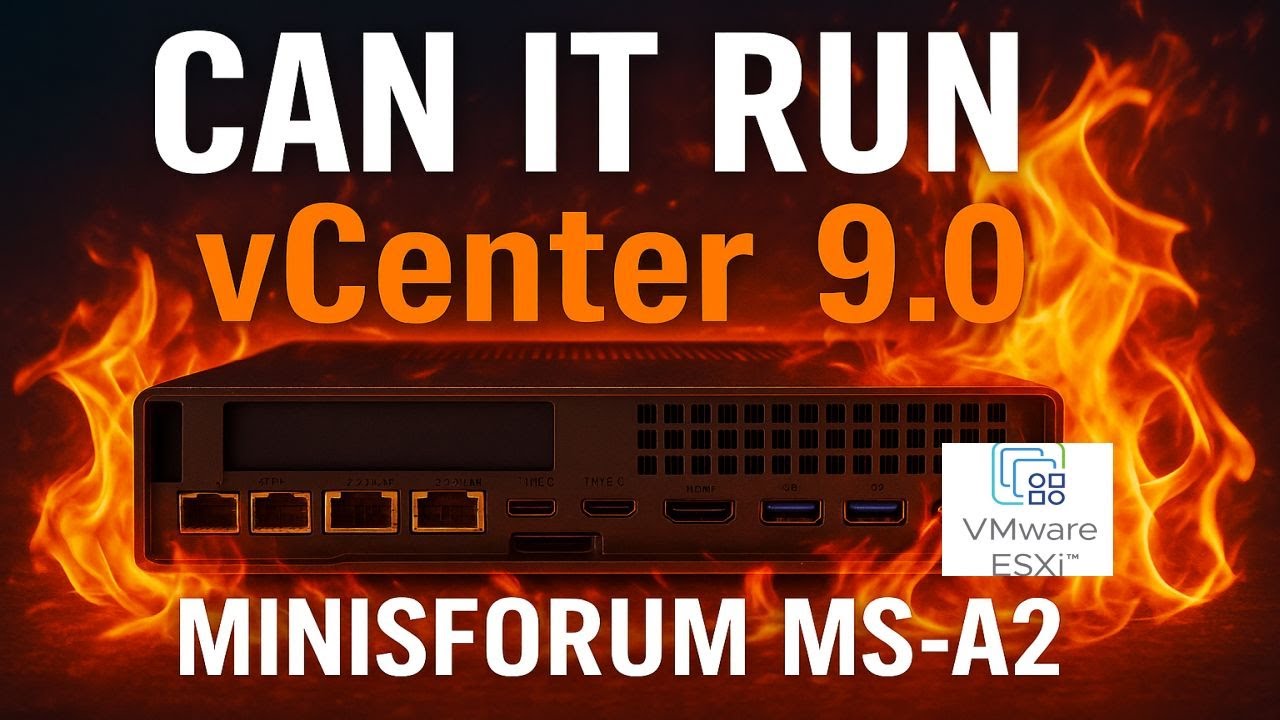
Welcome to Hancock’s VMware Half Hour! In this episode of the Minisforum MS-A2 Series – Part 12 Ultimate #homelab, we take the compact but powerful MS-A2 and push it to the limits by installing VMware vCenter Server 9.0 on ESXi 9.
From installation to configuration and performance benchmarks, I’ll walk you through every step — including DNS setup, deployment options, datastore selection, and SSO configuration. We’ll also run boot speed benchmarks to see just how fast vCenter Server 9.0 can run on the MS-A2. Spoiler: it’s blazing fast! ? It’s on FIRE !
If you’re thinking of building a small, efficient, and powerful #homelab capable of enterprise-level virtualization, this is the video for you.
Minisforum MS-A2 Can it Run ESXi 9.0.0? Minisforum MS-A2 Series Part 11 Ultimate #homelab
Can the Minisforum MS-A2 handle VMware’s latest ESXi 9.0.0?
In Part 11 of the Ultimate #homelab series, we put the MS-A2 to the test with the brand-new VMware vSphere Hypervisor ESXi 9.0. From BIOS boot to creating a demo virtual machine, you’ll see the entire installation process and whether this mini PC can run the latest VMware tech.
Can the powerful Minisforum MS-A2 run VMware vSphere 8.0?
In Part 10 of the Ultimate #homelab series, we put this compact beast to the test by installing VMware vSphere Hypervisor ESXi 8.0.3g and seeing how it performs. From BIOS setup to creating a demo virtual machine, this episode covers the full journey.
What’s Inside This Video:
Installing ESXi 8.0.3g on the Minisforum MS-A2
BIOS configuration & USB boot with Ventoy
Full ESXi setup walkthrough
Creating & running a test VM
Enabling NVMe Memory Tiering with NVMe namespaces
Checking performance and confirming a successful install
If you’ve been wondering whether the MS-A2 can handle serious VMware workloads in a home lab, this is the episode to watch!
Minisforum MS-A2 NVMe namespaces U.2 Samsung PM9A3 Minisforum MS-A2 Series Part 9 Ultimate #homelab
In this episode of Hancock’s VMware Half Hour, we walk through configuring NVMe namespaces on a Samsung U.2 PMA9A3 enterprise SSD using the MINISFORUM MS-A2.
You’ll learn what U.2 NVMe SSDs are, their benefits in enterprise and homelab environments, and how to create, format, and attach namespaces for specific use cases like ESXi OS installs, NVMe memory tiering, and vSAN.
We also cover hands-on NVMe CLI commands in Ubuntu, capacity checks, alignment considerations, and how to avoid fake or counterfeit SSDs.
All the commands used in this video are here on GitHub
Minisforum MS-A2 Can it Play Doom The Dark Ages Minisforum MS-A2 Series Part 8 Ultimate #homelab
DOOM: The Dark Ages Demo on a Minisforum MS-A2 + RTX 3090 eGPU!? ?
You read that right — I’ve upgraded the tiny Minisforum MS-A2 with a serious punch: an OcuLink-connected eGPU dock and a NVIDIA RTX 3090. Now the question is… can it finally handle DOOM: The Dark Ages?
In this video, I run the DOOM: The Dark Ages demo on this mini PC beast-hybrid and test just how much performance you can squeeze out of a small form-factor PC when paired with high-end external graphics.
?? System Setup:
Minisforum MS-A2 (Ryzen AI Mini PC)
Minisforum eGPU Dock with OcuLink
NVIDIA RTX 3090 GPU
128GB RAM, NVMe SSD
Windows 11
? What You’ll See:
Full DOOM: The Dark Ages demo gameplay
Performance stats, FPS, temps
Commentary on eGPU setup, compatibility, and bottlenecks
Was it worth upgrading the MS-A2 with an RTX 3090?
? Have questions about the eGPU dock, OcuLink, or the MS-A2? Drop them in the comments!
? Like, Subscribe, and turn on notifications if you love seeing small PCs pushed to the limit.
Purchase a #homelab here
Barebone Minisforum MS-A2 https://amzn.to/3GEoiOA
Crucial DDR5 RAM 96GB Kit (2x48GB) 5600MHz SODIMM https://amzn.to/3Uatfl4
Crucial DDR5 RAM 128GB Kit (2x64GB) 5600MHz SODIMM,https://amzn.to/3Uhef4U
Samsung 990 PRO with Heatsink https://amzn.to/4ePjYsr
Crucial P310 NVMe 1TB 2230 M.2 SSD https://amzn.to/44x055Y
NFHK M.2(A+E Key) 2230MM to NVME M-Key Extension Card Adapter for Motherboard NVME SSD Hard Drive Port Extension 2230/2242/2260/2280MM https://amzn.to/3Ix7rxz
MINISFORUM DEG1 Docking Station, PCIe x16 (PCIe4.0x4), Force Power On, ATX/SFX Power https://amzn.to/41pIYAQ
Purchases made through some store links may provide some compensation to Hancock’s VMware Half Hour
? Enjoying the content? Support me with an espresso coffee! ? Buy Me an Espresso Coffee! – https://buymeacoffee.com/einsteinagogo
Donate – https://www.paypal.com/paypalme/Andre…
? Want to support British beekeeping? Get RAW PURE honey here! ?https://meltonbyhoney.com/ Sorry UK only, unless demand increases to international destinations!
In today’s video, I ask the age-old question: Can it run DOOM?
Spoiler: Classic DOOM (1993)? Oh yeah — it runs great. Smooth, fast, and just as demon-slaying as ever.
DOOM: The Dark Ages though? ? …Well, that’s a different story.
I test out the Minisforum MS-A2, a compact mini PC powered by AMD’s latest tech, to see how it handles both the original retro shooter and the upcoming next-gen entry in the DOOM franchise. From pixelated corridors to modern hellscapes, how far can this tiny system go?
Specs Overview:
CPU: AMD Ryzen™ 9 9955HX
GPU: AMD 610 Radeon Graphics 2GB
RAM/Storage: 128GB RAM/Samsung 990 PRO 1TB NVMe M.2 SSD
What You’ll See:
Running Classic DOOM
Attempting to tackle DOOM: The Dark Ages
Honest performance impressions
A few laughs along the way
Purchase a #homelab here
Barebone Minisforum MS-A2 https://amzn.to/3GEoiOA
Crucial DDR5 RAM 96GB Kit (2x48GB) 5600MHz SODIMM https://amzn.to/3Uatfl4
Crucial DDR5 RAM 128GB Kit (2x64GB) 5600MHz SODIMM,https://amzn.to/3Uhef4U
Samsung 990 PRO with Heatsink https://amzn.to/4ePjYsr
Crucial P310 NVMe 1TB 2230 M.2 SSD https://amzn.to/44x055Y
NFHK M.2(A+E Key) 2230MM to NVME M-Key Extension Card Adapter for Motherboard NVME SSD Hard Drive Port Extension 2230/2242/2260/2280MM https://amzn.to/3Ix7rxz
Purchases made through some store links may provide some compensation to Hancock’s VMware Half Hour
Enjoying the content? Support me with an espresso coffee! ? Buy Me an Espresso Coffee! – https://buymeacoffee.com/einsteinagogo
Donate – https://www.paypal.com/paypalme/AndrewHancock
Want to support British beekeeping? Get RAW PURE honey here! ?https://meltonbyhoney.com/ Sorry UK only, unless demand increases to international destinations!
In this episode of Hancock’s VMware Half Hour, we walk through creating an Offline Depot using a Python script to support VMware Cloud Foundation (VCF) 9.0 deployments in air-gapped or isolated environments. We begin with a brief update on the VCF Installer, remove previously downloaded components, and disconnect our offline repository from a Synology NAS. Then we dive into the technical steps—running a Python script on Ubuntu using the http_server_auth.py script from GitHub, mounting an NFS export, verifying FQDN configuration, and checking access to the depot via a web browser. Finally, we show how to configure the VCF Installer to use this offline depot, perform downloads directly to the installer, and verify SSH shell activity to ensure everything is working correctly. This practical guide is ideal for anyone managing VCF in restricted environments or those who need a secure and reusable local depot setup.
HOW TO: Create an Offline Depot with a Synology NAS | VCF 9.0 Component Deployment Guide
In this video, we walk through the step-by-step process of creating an offline depot using a Synology NAS for VMware Cloud Foundation (VCF) 9.0. Whether you’re dealing with limited internet access or building a secure deployment workflow, this guide will help you set up a fully functional offline repository that integrates seamlessly with the VCF installer.
As of July 30th, Broadcom has released updated VCF 9.0 metadata, and we’ll use that to demonstrate how to populate the repo.
What You’ll Learn:
How to install and configure the Web Station and Apache HTTP Server 2.4 on Synology
How to enable Basic Authentication required by VCF
Where to upload and extract the VCF 9.0 metadata bundle
How to verify access via browser and the VCF 9.0 installer
How to Install Windows Server 2025 on the Minisforum MS-A2
In this video, I walk you through the complete step-by-step process of installing Windows Server 2025 on the compact yet powerful MINISFORUM MS-A2 mini PC.
What You’ll Learn:
How to prepare your bootable USB with Windows Server 2025
BIOS/UEFI configuration on the MS-A2
Installing Windows Server 2025 from scratch
Initial setup and configuration
Performance and compatibility overview
Not sure Windows Server 2025 is designed to run on the MS-A2 because lack of drivers, still in discussions with Minisforum! Checkout the forced driver install!
Welcome back to Andysworld! — where homelab dreams come to life, one project at a time.
In Part 3 of our Minisforum MS-A2 Series, we’re diving into the ultimate upgrade combo: installing a high-speed NVMe SSD and setting up Windows 11 on this tiny powerhouse. If you’ve been following along, you already know we’ve upgraded the hardware and reconfigured the internals — now it’s time to breathe life into it.
Why the MS-A2 Deserves NVMe + Windows 11
The Minisforum MS-A2 continues to impress with its powerful Ryzen APU, dual-channel DDR5 support, and surprisingly modular design. But to unlock its true potential in a modern homelab, we need:
? Fast, reliable storage (via NVMe SSD) ? A clean, up-to-date OS install (Windows 11 Pro FTW) ? Flexibility for running VMs, containers, or lab workloads
Step 1: Installing the NVMe SSD
Whether you’re using the primary M.2 NVMe slot or (as we showed in Part 2) the secondary A+E Key slot, here’s how we did it:
Power off the device and remove the bottom panel.
Insert the Samsung NVMe SSD into the M.2 slot.
Secure it with the retaining screw.
(Optional) Add a heat sink or thermal pad if you’re planning to run it hard.
Reassemble and power up!
? Confirmed: BIOS detected the SSD on first boot — no drama.
Step 2: Installing Windows 11
Now that we’ve got our drive ready, let’s get Windows 11 installed:
Boot the MS-A2 and hit DEL or F7 to enter the BIOS/boot menu.
Select the USB installer and follow the prompts.
Choose custom install and select your NVMe SSD.
Complete the install and apply your license key or link your Microsoft account.
? Tip: Disable TPM and Secure Boot in the BIOS if you encounter issues — though the MS-A2 should support them natively.
First Boot – Lightning Fast!
Windows 11 boots in under 10 seconds thanks to the NVMe SSD. With DDR5 and Ryzen onboard, the desktop is snappy and responsive — ideal for:
Hyper-V, WSL2, or VMware Workstation
Remote Desktop Gateway
Lightweight game streaming or media server
Home automation or dev work
Final Thoughts: A Tiny Titan for the #homelab
The Minisforum MS-A2 is proving itself as a top-tier mini PC for lab use, and this Part 3 upgrade cements its place in Andysworld!’s go-to toolkit.
Whether you’re deploying Windows, Linux, Proxmox, or VMware, getting fast local storage and a clean OS install is the foundation of a great setup — and this one ticks all the boxes.
? Coming in Part 4: Exploring Performance Benchmarks and Virtualization Capabilities.
? Be sure to watch the YouTube companion video for this build and subscribe for more homelab tips, bees (yes, bees ?), and tech wizardry.
Until next time — Stay fast, stay flexible, and keep building. — Andy @ Andysworld!



![[Valid RSS]](http://andysworld.org.uk/images/valid-rss.png "Validate my RSS feed")