Posts Tagged ‘VMware Cloud Foundation’

HOW TO: Create a Custom ESXi 9.0 ISO with the Realtek Driver Fling

Sunday, March 1st, 2026


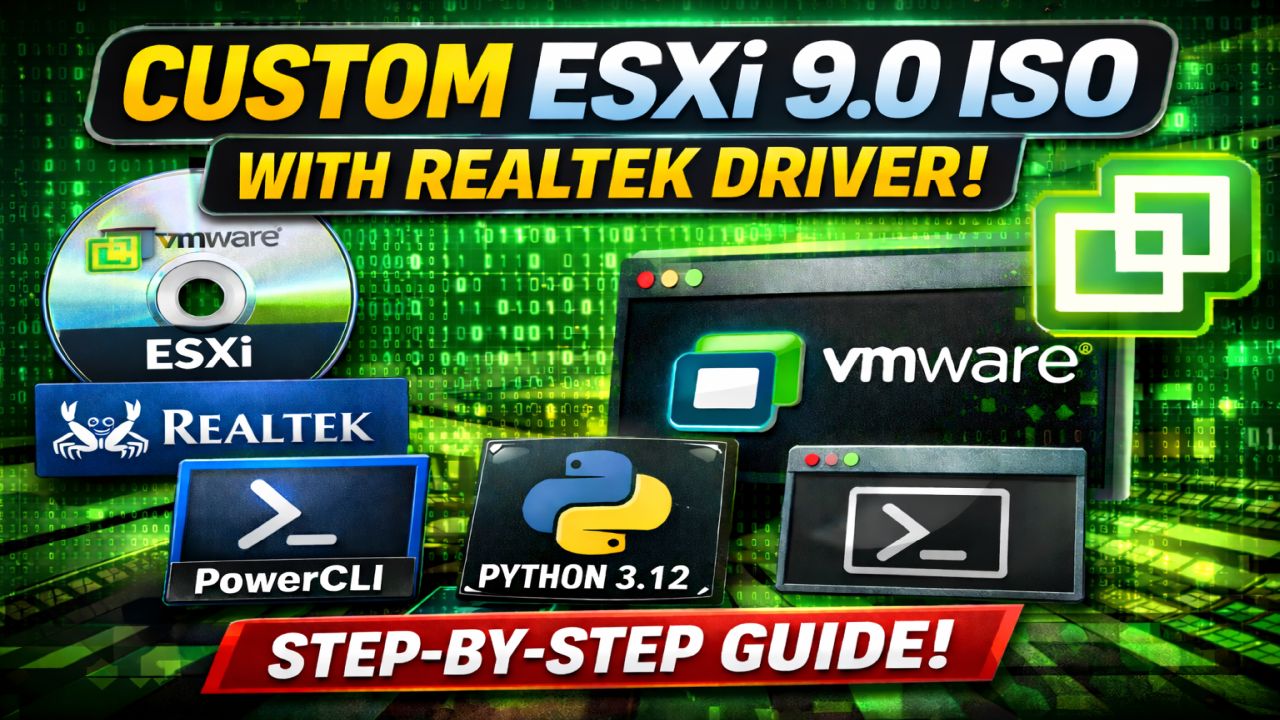
HOW TO: Create a Custom VCF 9.0 VMware ESXi 9.0 ISO with Realtek Driver (PowerCLI)

Author: Andy – Andysworld.org.uk

Good news for homelab enthusiasts! We finally have a working Realtek network driver for ESXi 9.0. In this guide, I’ll show you step-by-step how to create a customised VMware ESXi 9.0 ISO for VCF 9.0 with the Realtek driver injected (slipstreamed) using PowerShell 7 and VMware PowerCLI.


Why This Matters

If you’re running ESXi in a homelab environment using consumer hardware, Mini PCs, or whitebox builds, Realtek NIC support has historically been a challenge. With the latest Realtek driver available, we can now build a custom ESXi 9.0 ISO that works perfectly in lab environments.

This process allows you to:

  • Inject the Realtek driver into the ESXi 9.0 image profile
  • Create a bootable ISO installer
  • Export an offline ZIP bundle

Important Disclaimer

ESXi 9.0 depot files require a valid Broadcom contract. I do not distribute depot files, customised ISOs, or any Broadcom software. Please obtain required files through official channels.


Prerequisites

  • PowerShell 7
  • VMware PowerCLI (latest version)
  • Python 3.12
  • VMware ESXi 9.0 Depot ZIP
  • VMware Realtek Driver ZIP

Method 1 – Manual Image Build (PowerCLI)

Step 1 – Load the ESXi Depot

Add-EsxSoftwareDepot .\VMware-ESXi-9.0.0.0.24755229-depot.zip

Step 2 – Load the Realtek Driver Depot

Add-EsxSoftwareDepot .\VMware-Re-Driver_1.101.01-5vmw.800.1.0.20613240.zip

Step 3 – List Available Image Profiles

Get-EsxImageProfile | Select Name

Step 4 – Clone the Standard Profile


$newProfile = New-EsxImageProfile `
-CloneProfile 'ESXi-9.0.0-14755229-standard' `
-Name 'ESXi-9.0.0-14755229-standard-Realtek-nic' `
-Vendor "Andysworld.org.uk"

Step 5 – Inject the Realtek Driver

Add-EsxSoftwarePackage -ImageProfile $newProfile -SoftwarePackage "if-re"

Step 6 – Export the Custom ISO

Export-ESXImageProfile -ImageProfile $newProfile -ExportToIso -FilePath "$($newProfile.Name).iso"

Step 7 – Export the Offline Bundle

Export-ESXImageProfile -ImageProfile $newProfile -ExportToBundle -FilePath "$($newProfile.Name).zip"

Step 8 – Verify Output

dir

You should now have both a customised ISO and ZIP bundle ready for deployment in your homelab.


Method 2 – Scripted Approach

If you prefer automation, you can use a PowerShell script to perform the entire process in one go. The script automates:

  • Loading depot files
  • Cloning image profiles
  • Injecting the Realtek driver
  • Exporting ISO and ZIP bundles

This method is ideal for repeat builds or lab rebuilds.


Who Is This For?

  • Homelab enthusiasts
  • VMware learners
  • Mini PC / Whitebox ESXi users
  • VCF 9.0 lab deployments

This guide is intended for lab and educational use only, not production environments.


Final Thoughts

Creating a custom ESXi image is a valuable skill for anyone running a VMware homelab. With the Realtek driver now available for ESXi 9.0, lab builders can continue using affordable hardware while staying current with VMware releases.

If you found this guide helpful, check out more VMware content here at Andysworld.org.uk.

HOW TO: Create an Offline Depot with a Python script | VCF 9.0 Component Deployment Guide

Monday, August 4th, 2025


In this episode of Hancock’s VMware Half Hour, we walk through creating an Offline Depot using a Python script to support VMware Cloud Foundation (VCF) 9.0 deployments in air-gapped or isolated environments. We begin with a brief update on the VCF Installer, remove previously downloaded components, and disconnect our offline repository from a Synology NAS. Then we dive into the technical steps—running a Python script on Ubuntu using the http_server_auth.py script from GitHub, mounting an NFS export, verifying FQDN configuration, and checking access to the depot via a web browser. Finally, we show how to configure the VCF Installer to use this offline depot, perform downloads directly to the installer, and verify SSH shell activity to ensure everything is working correctly. This practical guide is ideal for anyone managing VCF in restricted environments or those who need a secure and reusable local depot setup.

HOW TO: Create an Offline Depot with a Synology NAS | VCF 9.0 Component Deployment Guide

Monday, August 4th, 2025


HOW TO: Create an Offline Depot with a Synology NAS | VCF 9.0 Component Deployment Guide

In this video, we walk through the step-by-step process of creating an offline depot using a Synology NAS for VMware Cloud Foundation (VCF) 9.0. Whether you’re dealing with limited internet access or building a secure deployment workflow, this guide will help you set up a fully functional offline repository that integrates seamlessly with the VCF installer.

As of July 30th, Broadcom has released updated VCF 9.0 metadata, and we’ll use that to demonstrate how to populate the repo.

What You’ll Learn:

How to install and configure the Web Station and Apache HTTP Server 2.4 on Synology

How to enable Basic Authentication required by VCF

Where to upload and extract the VCF 9.0 metadata bundle

How to verify access via browser and the VCF 9.0 installer

HOW TO: Deploy, Install and Configure VCF 9.0 Installer | VCF 9.0 Component Deployment Guide

Thursday, June 19th, 2025

Enjoying the content? Support me with an espresso coffee! Buy Me an Espresso Coffee! – https://buymeacoffee.com/einsteinagogo
Want to support British beekeeping? Get RAW PURE honey here! https://meltonbyhoney.com/ Sorry UK only, unless demand increases to international destinations!

Unlock the full power of VMware Cloud Foundation 9.0 with this in-depth, step-by-step tutorial! In this video, I walk you through the complete process of deploying, installing, and configuring the VCF 9.0 Installer — from downloading the bundle to initial setup and system configuration.

Whether you’re a VMware admin, cloud architect, or just starting with VCF, this guide will help you confidently deploy your management domain using the new VCF 9.0 enhancements.

Fully compatible with vSphere 8 and NSX 4
Covers deployment of the Management Domain using the new SDDC Manager
Designed for enterprise environments

Have questions? Drop them in the comments and I’ll help where I can.

Don’t forget to Like, Subscribe, and Hit the Bell icon for more VMware and vExpert tutorials!

#VMware #VCF #CloudFoundation #VMwareCloudFoundation #VCF9 #vSphere8 #NSX #SDDCManager #HomeLab #VMwareTutorial #VMwareLab #VMwarevExpert #vexpert

Watch the newest videos in the series:


Follow Hancock’s VMware Half Hour for more:
https://www.youtube.com/@UCaqYL_WmGJohUoM-CAJk-DQ

https://www.linkedin.com/in/andrewhancock/
