Posts Tagged ‘ExpertsExchange’

Automating Windows 2000 Professional in VirtualBox with PowerShell

Monday, August 31st, 2026

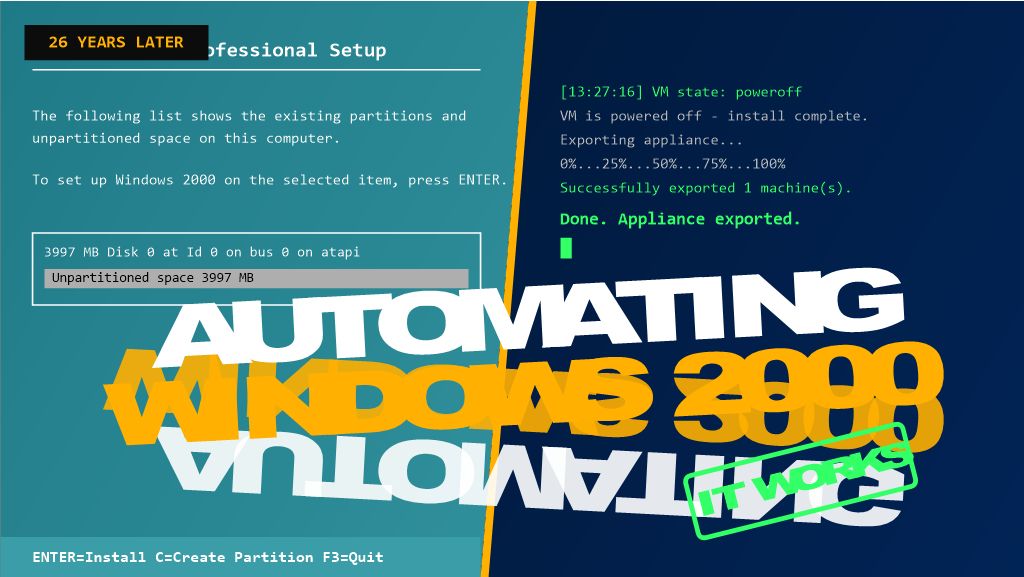
26 years after its release, Windows 2000 Professional still has a place in testing, legacy support, and retro-computing labs — but building a VM for it by hand, every single time, gets old fast. In my latest video, HOWTO VirtualBox: How to Automate the Creation of an Appliance File,” I walk through a PowerShell script that does the whole job unattended: create the VM, install Windows 2000 Pro with zero clicking through Setup, power it off automatically, and export the finished appliance as a portable .ova file.

This was originally written as an answer to an Experts Exchange question, and it’s part of the Hancock’s VMware Half Hour series — which has expanded beyond core vSphere content into related virtualization tooling like this.

Here’s the write-up, including a couple of the gotchas that tripped the script up along the way.

Why Automate This?

A VirtualBox appliance file (.ova) packages a fully configured VM — OS, disk, settings, all of it — into a single portable file you can import anywhere. Building one by hand through the GUI is fine once. Needing a fresh Windows 2000 Pro VM repeatedly for a lab or test environment is a different story, and that’s where scripting the whole pipeline with VBoxManage.exe through PowerShell pays off.

The Twist With Windows 2000

Windows 2000 predates the autounattend.xml mechanism that later Windows versions use, so the assumption going in was that VBoxManage unattended install — the built-in facility that auto-generates a Windows answer file — wouldn’t support it, and that a hand-built winnt.sif + floppy would be needed instead.

Turns out that’s not the case. VBoxManage unattended install does support Windows 2000 — it builds its own answer file, auxiliary ISO, and floppy internally, no manual winnt.sif or floppy-writing tool required. That’s the route this script uses.

What the Script Does

At a high level, Deploy-Win2kProVM.ps1 handles the whole pipeline in one run:

  1. Prompts for a VM name and cleans up any existing VM with that name.
  2. Creates a new VirtualBox VM (Windows2000 guest type, PIIX4 IDE controller, 1 CPU — matches what this OS actually needs).
  3. Creates and attaches a virtual hard disk.
  4. Kicks off VBoxManage unattended install pointed at a standard Windows 2000 Pro install ISO — VBoxManage handles the answer file, auxiliary ISO, and floppy itself, and installs Guest Additions in the same pass.
  5. Polls the VM’s state until it powers itself off.
  6. Exports the finished VM to a .ova appliance file.

The full script is available on GitHub: [link to your GitHub repo]

Gotchas Worth Knowing About Before You Run This

A few things that came up while getting this working, in case they save you the same troubleshooting:

  • Flag names for unattended install are strict and easy to get wrong. It’s --key, not --product-key. It’s --user-password (or --admin-password, depending on the account type), not --password. VBoxManage errors out immediately with an “Unknown option” message if you get these wrong — worth double-checking against VBoxManage unattended install --help for your installed version.
  • Windows 2000 needs 1 CPU and --ioapic off. This matches a manually-built VM confirmed to install and boot reliably — modern virtual chipset defaults can trip up an OS this old.
  • Setup won’t shut down on its own. Without a shutdown command, the VM finishes install and just sits at the desktop, so the polling loop in the script would wait forever. The fix is VBoxManage’s own --post-install-command="shutdown -s -t 0" flag, which runs inside the guest automatically once Setup completes (via the Guest Additions execution channel — hence --install-additions needs to run first).
  • Downloaded scripts get blocked by Windows. If you see “not digitally signed” when running the .ps1 file, it’s the Mark of the Web from a browser download. Fix it with:
 
powershell
  Unblock-File -Path '.\Deploy-Win2kProVM.ps1'
  • A genuine product key is required. There’s no way around supplying a real one in the unattended install parameters.

What You End Up With

Run the script, type a VM name, and walk away — no manual clicking through Setup, no hand-built floppy images. A few minutes later, you’ve got a fully installed, Guest-Additions-equipped Windows 2000 Professional VM exported as a ready-to-share .ova.

That exported file also becomes a reusable template — importing it for a fresh copy is far faster than rerunning the whole install.

Watch the Full Video

This post covers the highlights, but the video walks through the whole process live — including the actual errors we hit and fixed along the way. Check it out here: https://youtu.be/Nz2vhgU01qM

If you’ve automated your own VirtualBox workflows, I’d love to hear how — drop a comment on the video or below!

What’s Occurin’ on Andysworld!

Friday, June 6th, 2025

Hey everyone — welcome back to Andysworld!, where there’s always something bubbling in the pot (usually tech-flavoured, sometimes coffee, sometimes bees).

500 Hacks a Day — Mission Accomplished!

After a consistent streak of daily pwnage, I’ve finally hit 500 hacks a day on TryHackMe! It’s been an epic ride, sharpening my skills and staying sharp in the ever-evolving world of cybersecurity. But… that’s it for now. As much as I’ve loved the challenge, life’s too hectic to keep up the daily grind — and honestly, it’s time to re-balance.

Still, 500-a-day? I’ll take that win ?

Hancock’s VMware Half Hour – Rolling On

If you’ve not tuned into Hancock’s VMware Half Hour yet, what are you doing? ? The YouTube channel is keeping me plenty busy — but it’s worth every minute. From real-world scenarios to community spotlights and the latest from the VMwareverse, it’s been great to share stories, learn, and laugh with fellow techies around the world.

Catch the next episode if you haven’t already — things are just heating up.

vExpert PRO – 5 Years Strong!

Big news landed this month — I’m proud (and humbled) to announce that I’ve been recognised as a VMware vExpert PRO for the fifth year running. Not only that, but I’ve also picked up the vExpert VCF badge, too!

This recognition means a lot — it’s not just about titles; it’s about community, contribution, and passion. The vExpert family has been a huge part of my journey, and it’s an honour to continue helping others grow and succeed in the ecosystem.

and that’s not forget the Bees !

Beekeeping at Meltonby Honey

Bees are a mixed bag this is to say, some are doing really well, and some are not doing so well, so this month of June, in the June Gap – need to start sorting out and selecting hives to work this Summer, and dare I say it starting Winter preparations, and a week today attend a Bee Health Day, sponsored by DEFRA !


That’s it for now — life’s buzzing, tech is flying, and the blog never sleeps (even if I do). Thanks to everyone who’s been along for the ride so far.

Until next time — stay curious, stay hacking, and don’t forget to say “What’s Occurin’?” ?

Andy

Hacking for Fun (and Learning) on TryHackMe

Friday, June 6th, 2025


If you’ve been following me for a while — either here on Andysworld! or on social — you’ll probably have noticed I’ve got a bit of a thing for TryHackMe. That’s right: the gamified, hands-on cybersecurity platform that lets you “learn hacking the fun way.”

While I’ve worn many hats over the years — from building corporate desktops in the 90s to deploying Thin Clients, backing VMware before it was cool, and even keeping bees in my spare time — I’ve always had a quiet curiosity for cybersecurity.

But in recent years, that curiosity has turned into something more structured. I’ve been diving head-first into daily challenges, CTFs, and red team/blue team rooms on TryHackMe. Every day I log in and test my “hacking” and “penetration” skills. (Legally, of course. Let’s not get too excited.)

Why TryHackMe?

Simple: it’s accessible, addictive, and just plain fun. The platform breaks down complicated security concepts into digestible learning paths and real-world scenarios. Whether you’re into Linux fundamentals, web app hacking, or breaking into Windows environments, there’s something for everyone — and something new to learn every day.

I started with a few easy rooms — some were fun, some had me questioning my life choices — but before long I found myself chasing streaks, solving buffer overflows, exploiting SQL injections, and pivoting through internal networks like it was second nature. It’s part puzzle, part education, and part thrill.

That Daily Streak… and the Climb

I’ll admit it: I got hooked on the daily streak. There’s something about seeing that little flame icon next to your

name that sparks a sense of achievement. Each day I carve out time to complete at least one room, even if it’s a short task or a simple walkthrough. And in doing so, I’ve kept my streak alive and sharpened my skills without ever feeling like it’s a chore.

And here’s the kicker — recently, after being ranked #1,060 out of over 3 million TryHackMe users, I finally cracked the four-digit barrier and rose to #998!
Top 1,000 in the world. Not bad for a “beekeeper with a hacking habit,” eh?

Oh — and right now, I’m sitting on a 461-day hacking streak.
That’s right. 461 consecutive days of training, solving, cracking, and learning.
I’m not far off the 500-day HackStreak badge, and believe me — I will get there. It’s part stubbornness, part obsession, but mostly just a whole lot of fun.

What’s Next?

Honestly, I’d love to get into some deeper reverse engineering, exploit development, and maybe even take on some of the harder red team labs. And who knows — maybe I’ll finally take a proper cert (OffSec, I’m looking at you) just to prove to myself I can.

TryHackMe has rekindled my passion for hands-on learning, just like Experts Exchange did in the early days. It’s reminded me that whether you’re troubleshooting snapshots, spinning up ESXi hosts, or brute-forcing a login page, there’s always more to learn.


Whether you’re an old-school sysadmin like me, a student just starting out, or someone who’s just curious about hacking without getting arrested — I highly recommend giving TryHackMe a spin.

And if you’re already in the game — drop me a message. I’ll see you on the leaderboard ?


Want me to whip up a graphic showing your current rank and streak progress? I can give it that polished blog badge feel.


I’ve got a New Badge @ExpertsExchange

Tuesday, August 21st, 2012

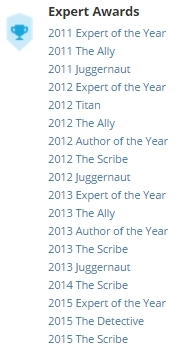
za2If you checkout my Experts Exchange Profile, you will see I’ve got a new Badge

The “badged members” are Community Volunteers, and I’ve recently been “upgraded” to a Zone Advisor (ZA) for VMware and Virtualisation Zones, sometimes called Topic Advisors.

za1

The new @ExpertsExchange is coming in 2012. Check it out and get a free shirt. #EEv10

Tuesday, November 8th, 2011


Large Experts Exchange VIP Badge

The new ExpertsExchange is coming in 2012. Check it out and get a free shirt.