I’m trying to figure out how to Unlock the Huawei E583c, if you would like to help, in return I’ll unlock for free. Limited time offer.
If you would like to help me Unlock Huawei E583c for FREE.
Please contact me.
(first email reply only!).
I’m trying to figure out how to Unlock the Huawei E583c, if you would like to help, in return I’ll unlock for free. Limited time offer.
If you would like to help me Unlock Huawei E583c for FREE.
Please contact me.
(first email reply only!).
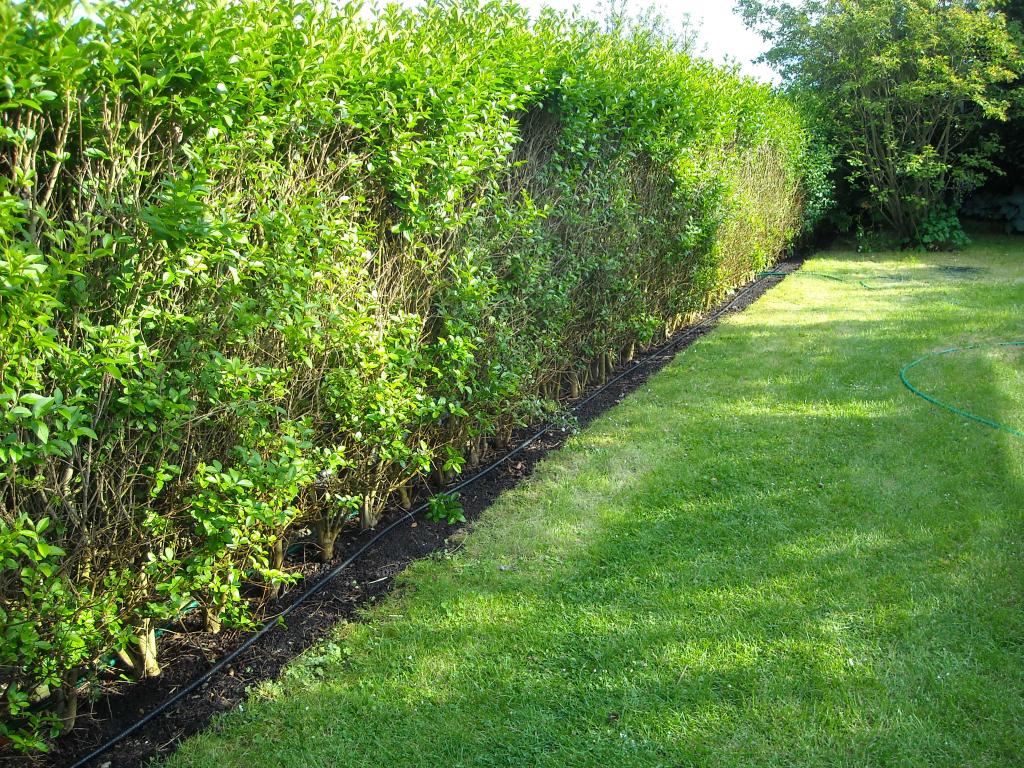
Finally complete the border for the privet hedge today, the weather held off this afternoon to complete the rest of the border, Lindsey also help me, so it did not take much longer to complete the border for all the hedge and install the Hozelock water soaker. I just need to install the time I have in the fish house, so it can water the hedge twice a day, for an hour each time, and I need to add the fertilizer, and hopefully the hedge will grow and fill in the bare patches.
So if the weather is good tomorrow, cut the lawn and hedge!
Lindsey mentioned that people viewing this probably would not have seen the significance on the picture, so here it is again, zoomed in and cut!
and I’ve still not cut the hedge, cut the lawn again, or finished that damn border, it’s been raining….tomorrow (yes tomorrow!) I’ll get round to it!
As you may or may not know, we had to leave Japan from the Central Japan International Airport, Nagoya and not Narita International Airport, Tokyo because of the earthquake, or because Lufthansa, had decided not to fly from Narita International Airport, Tokyo. So on the penultimate day, we left Tokyo on the bullet train again to Nagoya for one last day and night.
Whilst in Nagoya, we visited Nagoya Castle, and had a very long walk around the Castle Moat, trying to find the entrance, after exiting the tube station! As a taster to the Japan photograhs to come shortly, here’s a photograph that made Lindsey laugh!
(I’ve not really be cloned three times! One is bad enough! I asked Lindsey to take three different exposures, and then I’ve overlaid them for the effect!)
I spotted a pair of Goldfinches, land on the ground today, which is unusual and they were feeding plucking the dandelion seeds from a dandelion. You can just make out the dandelion in front of the bird, and one seed floating in the wind.
I quickly lept for my DSLR, and changed to a 300mm lens, hand-held, no tripod, on max, taken through the kitchen window!
Wow, it’s all happening at Apple, iCloud and now Mac OS X 10.7 Lion in July 2011!
I’ve just an email reminding me that Mac OS X 10.7 Lion, is available from July 2011. So I thought I’d blog this now.
Oddly, when I try to un Mac OS X 10.7 Lion on VMware Player 3.1.4, I get the following error message!
More work required, when trying Mac OS X Lion 10.7, I get the error message “The guest operating system is not Mac OS X Server”.
Apple Snow Leopard Software License Agreement (EULA)
It states under Section 2
2. Permitted License Uses and Restrictions.
A. Single Use License. Subject to the terms and conditions of this License, unless you have purchased a Family Pack or Upgrade license for the Apple Software, you are granted a limited non-exclusive license to install, use and run one (1) copy of the Apple Software on a single Apple-branded computer at a time. You agree not to install, use or run the Apple Software on any non-Apple-branded computer, or to enable others to do so. This License does not allow the Apple Software to exist on more than one computer at a time, and you may not make the Apple Software available over a network where it could be used by multiple computers at the same time.
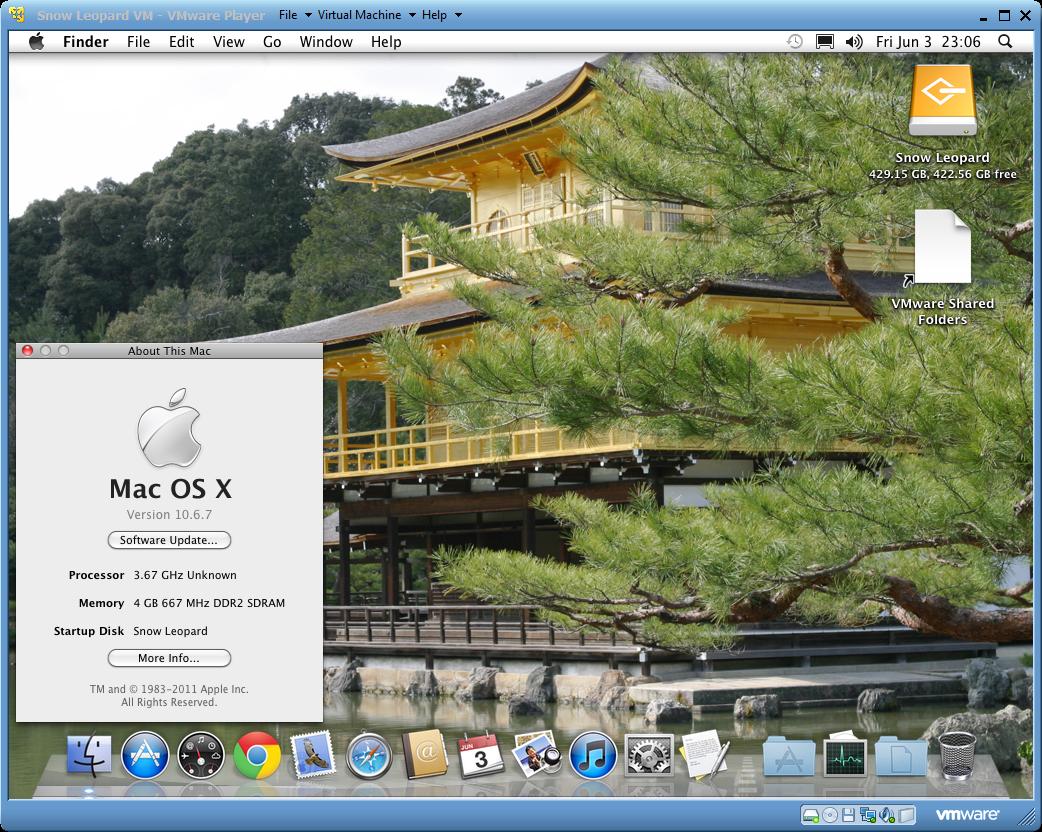
You can also use the FREE VMware Player 3.1.4. to also install and run Mac OS X 10.6.7 Snow Leopard. rather than VMware Workstation 7.1.4. But you’ll not have all the additional features that VMware Workstation 7.1.4 has included. VMware Player can play only one virtual machine at a time. You must close the virtual machine currently running in VMware Player before you can open another, also Snapshots are not supported in VMware Player.
Apple Snow Leopard Software License Agreement (EULA)
It states under Section 2
2. Permitted License Uses and Restrictions.
A. Single Use License. Subject to the terms and conditions of this License, unless you have purchased a Family Pack or Upgrade license for the Apple Software, you are granted a limited non-exclusive license to install, use and run one (1) copy of the Apple Software on a single Apple-branded computer at a time. You agree not to install, use or run the Apple Software on any non-Apple-branded computer, or to enable others to do so. This License does not allow the Apple Software to exist on more than one computer at a time, and you may not make the Apple Software available over a network where it could be used by multiple computers at the same time.