Archive for the ‘Virtualization’ Category

It’s A Proper Job! – Low Profile PCIe Bracket for Dell 0XYT17 Intel X520-DA2 Dual Port 10GB SFP+ NIC

Sunday, July 2nd, 2023
 

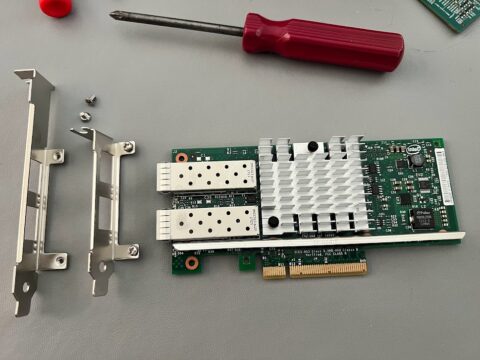
So I recently blogged here – about the network interfaces I’ve chosen for my #intel #optane #vSAN #homelab, but I cam across a small snag, in the Dell PowerEdge R730 I’m using as one of the #homelab servers uses low profile PCIe cards so I need to purchase a low profile bracket from eBay for it, so it will fit nicely.  I could have swapped the bracket from another network interface card but that then leaves that card I cannot use in the future!

Low profile bracket

flapping in the breeze

So one purchased from the UK, I could purchase one from China, but I’m in a hurry, I could leave the PCIe card floppy around in the breeze, but I do like to do things proper!

R730 riser with Intel-DA2 fitted with low profile bracket

It’s a Proper Job!

oh for those that don’t know, it’s a lovely tipple from Cornwall! A Cornish IPA from St Austell Brewery !


Inexpensive HCL Certified 10GBe network interfaces for vSphere ESXi 7.0 and vSphere ESXi 8.0 #homelab

Sunday, July 2nd, 2023

I’ve been desperately searching for inexpensive 10GBe SFP+ network interface cards for use with my new #intel #optane #homelab #vSAN which support both VMware vSphere 7.0 (ESXi 7.0) and 8.0 (ESXi 8.0), the major reason is so I can use the same lab for vSphere 7.0 and then upgrade to vSphere 8.0.

You can use the VMware Hardware compatibility list to find them, but it does take some searching and testing, so I’ve settled on the following network interface cards

Dell 0Y40PH Broadcom 57810S Dual Port 10GbE SFP+ Network Card Low Profile Dell P/N: 0Y40PH – this uses the qfle3i driver in ESXi 7.x and 8.x.
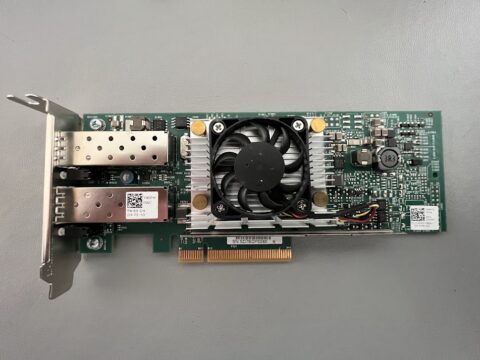
Dell 0Y40PH Broadcom 57810S Dual Port 10GbE SFP+ Network Card Low Profile Dell P/N: 0Y40PH
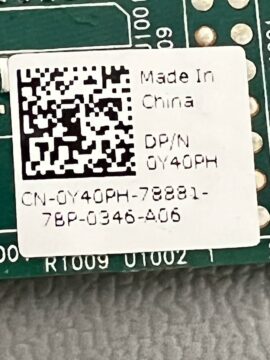
Dell 0Y40PH Broadcom 57810S Dual Port 10GbE SFP+ Network Card Low Profile Dell P/N: 0Y40PH

Dell 0Y40PH Broadcom 57810S Dual Port 10GbE SFP+ Network Card Low Profile Dell P/N: 0Y40PH

Dell 0Y40PH Broadcom 57810S Dual Port 10GbE SFP+ Network Card Low Profile Dell P/N: 0Y40PH

Dell 0XYT17 Intel X520-DA2 Dual Port 10GB SFP+ NIC with SFP this uses the ixgben driver for ESXi 7.x and 8.x
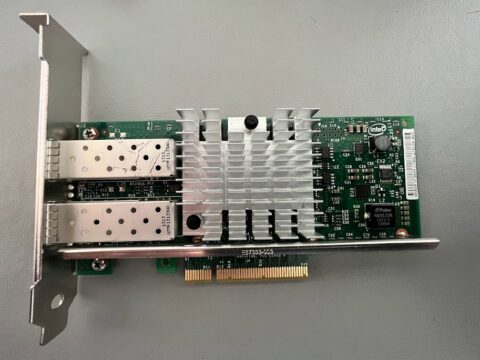
Dell 0XYT17 Intel X520-DA2 Dual Port 10GB SFP+ NIC with SFP
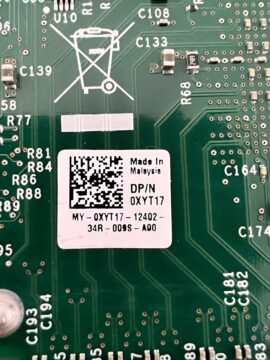
Dell 0XYT17 Intel X520-DA2 Dual Port 10GB SFP+ NIC with SFP

Dell 0XYT17 Intel X520-DA2 Dual Port 10GB SFP+ NIC with SFP

Dell 0XYT17 Intel X520-DA2 Dual Port 10GB SFP+ NIC with SFP

which I’ve tested both with ESXi 7.0 and ESXi 8.0.

What does surprise me, in it’s taken many months to find the first card above, which is present on the HCL, and also functions with ESXi 7. and 8.0, without adding any additional drivers, e.g. it works out of the box!

We were scrapping many Dell R910 from the datacentre, and I was surprised after testing that the Dell 0XYT17 Intel X520-DA2 Dual Port 10GB SFP+ NIC with SFP still functions with ESXi 7.0 and ESXi 8.0, and was manufactured 10 years ago, and is still present on the HCL today! Well done #intel for stopping these cards going to landfill!

10 years old and on the HCL!

10 years old and on the HCL!

This is a bargain card and firmware is still available and can be updated from Dell ! From memory 21.x !

So ideal for an inexpensive #homelab

Argh, I’ve got one issue, more later on that!
#intel #optane demo units as part of the @vExpert program

Saturday, July 1st, 2023

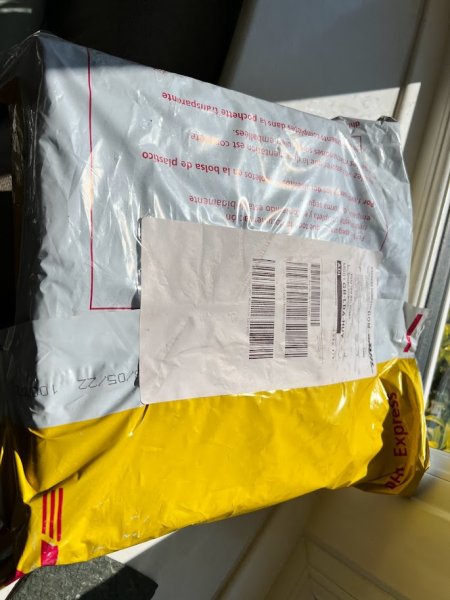
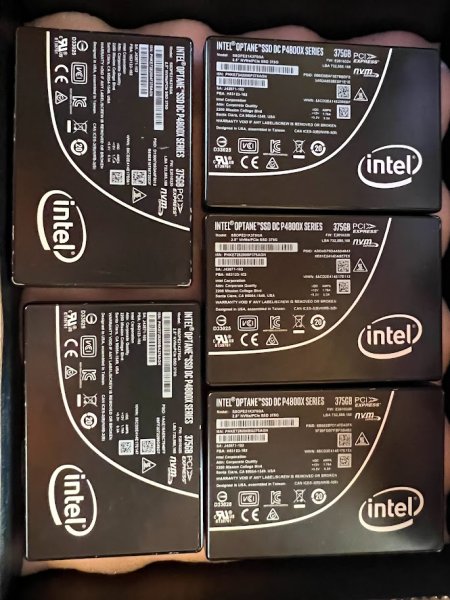
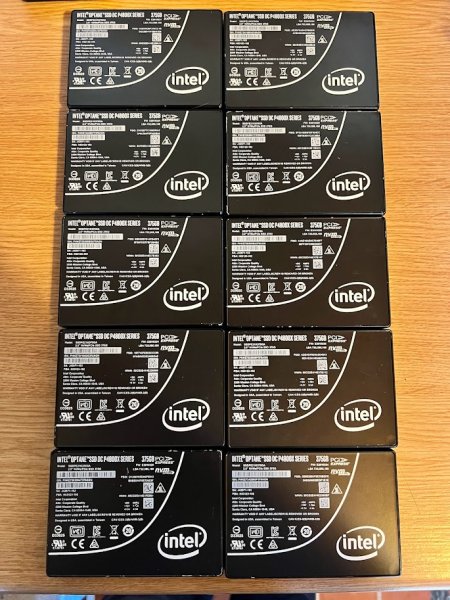
I was able to take part in the fantastic offer of free #intel #optane demo units as part of the vExpert Program to create a #vSAN #homelab project which I will document here on this blog. It has taken me a while to obtain all the parts for the #homelab BOM, so here goes….. the #homelab will be based on VMware vSphere 7.0 and 8.0 vSAN.

So one of the many benefits of the vExpert Program , so if you have an interest in VMware Products, reach out to me as a vExpert Pro, for help with applying to the program!

So many Thanks to fellow #vExperts –  Mr vSAN, and Matt Mancini, vCommunity Guy for organising this. 

ESXi on ARM – Andy’s BOM !

Saturday, October 24th, 2020

If you’ve been living under a rock you may not know that a recent VMware Fling was released of ESXi on ARM. You can check out my articles on Experts Exchange http://vexpert.me/ESXionARM and http://vexpert.me/ESXi-ARM-BOOT-from-SAN

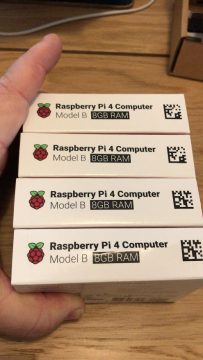
This is my 4 (four) Raspberry Pi 4B Cluster of VMware vSphere ESXi 7.0 for ARM.

vSphere Cluster

vSphere Cluster

It’s based on 4 x Raspberry Pi 4B, Cluster/Rack, PoE and 4 x SanDisk 16GB MicroSD cards.


I did originally purchase a “Cluster” power supply at 2.4A per port, you’ll not need anymore unless you have external devices connected to your Pi, and then you may need 3A per port! switched to PoE!


So the BOM (bill of materials is as follows)

  1.  4 x Raspberry Pi 4B 8GB version from CPC (cheapest supplier in the UK, if they have stock)
  2. 1 x Pi Rack Case for Raspberry Pi 4 from Amazon
  3. 4 x PoE HAT from Amazon
  4. Sandisk MicroSD 3 Pack from Amazon 
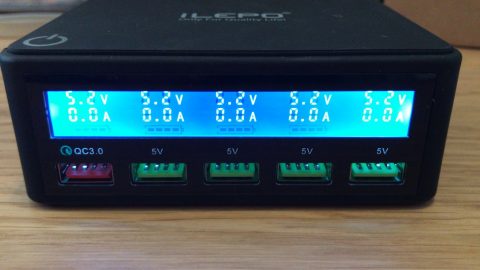
  5. 5 Port LCD Charger from Amazon
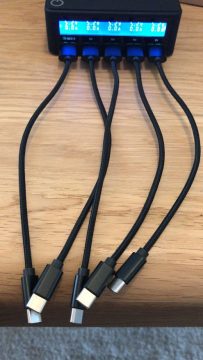
  6. 5 Short braided USB cables from Amazon
  7. Handy USB HDMI device (connect to PI, and have PC display!)
  8. Hex drivers (if you have fat fingers like me, 5mm nuts can be fiddley!)

10th Year a VMware vExpert

Tuesday, February 25th, 2020
VMware vExpert 10 Years

VMware vExpert 10 Years

VMware vExpert 2020

VMware vExpert 2020

VMware vSphere Hypervisor ESXi 6.5a on a HP/HPE DL380 G5 – IT WORKS!

Thursday, February 16th, 2017
Sad looking DL380G5

Sad looking DL380G5

Yes, we all know that the HP/HPE DL380 G5 is not on the VMware Hardware Compatibility list, the last ESXi supported operating system was either 4.1 – 5.0, depending upon your Xeon version. But these make ideal lab servers, and one very important function is if you remove the spinning rust disk drives from the disk carriers, you can swap them directly for consumer SSDs. So this makes an ideal test vSAN. 8 SSDs, and if you happen to have enough DL380G5, and we do…. you can build a larger cluster!

VMware HCL

VMware HCL

VMware vSphere ESXi 6.0 does install and run on the DL380 G5, see here – INSTALL ESXI 6.0 ON A DL380 G5 – YES IT WORKS, but for shits and giggles, I want the latest and greatest 6.5!

DL380 G5 running ESXi 6.0

DL380 G5 running ESXi 6.0

and if you try to install ESXi 6.5 on a HP/HPE DL380 G5 with a Xeon 51xx series you will get the following error message

CPU_SUPPORT ERROR

CPU_SUPPORT ERROR

from the VMware vSphere ESXi 6.5 release notes

CPUs removed...

CPUs removed...

You will see the Xeon 51xx series has been removed from the code, and I also believe that more Xeon series will be removed with the next version 7.0 of ESXi, including all 52xx, 53xx and 54xx.

So I just happen to have some Xeon 5430, on my desk as coasters!

Not a matched pair of Xeon 5430

Not a matched pair of Xeon 5430

This pair are not matched…. I don’t think the world is going to come to and end…so, swap them and all will be fine…and the DL380G5 makes this simple, unlock the heat sink bar, unclip the processor clips, remove and replace…

dl380g5-processor-swap1

dl380g5-processor-swap2

dl380g5-processor-swap3

So here you go, ESXi 6.5a on HP/HPE DL380 G5 -” IT WORKS!”

ESXi 6.5 on DL380G5

ESXi 6.5 on DL380G5

A quick tip, download the last firmware disk from HPE Firmware 10.10, and update your DL 380G5 before you swap the processors! In fact I found this server, had never had any firmware upgrades still on stock firmware!

I won an Amazon Echo – Thanks @ExpertsExchange

Tuesday, January 10th, 2017

In December I was notified by Experts Exchange, that I had won an Amazon Echo in the Contribute on Experts Exchange and Win competition for this Experts Exchange Article

HOW TO: Perform a Physical to Virtual (P2V) Conversion the easy way from a computer backup (image).

I actually think this is the Best Golden Nugget for FREE in years! (The Echo and Veeam Endpoint)

Thanks Experts Exchange and to readers of the article.

Box from Experts Exchange with Customs Duty stickers!

Box from Experts Exchange with Customs Duty stickers!

Amazon Echo sealed box

Amazon Echo sealed box

Amazon Echo sealed box

Amazon Echo sealed box

Amazon Echo open box

Amazon Echo open box

As for it’s setup, the Amazon Echo Saga continues…

VMware vSphere Client (C#) R.I.P

Wednesday, May 18th, 2016

Today VMware have announced the VMware vSphere Client (C#) is deprecated. This has been on the cards for many years.

Going forward the HTML 5 Web Client will be the only supported method of managing VMware vSphere.

Goodbye vSphere Client for Windows (C#) – Hello HTML5

HOW TO: Install AsterixNOW PBX in a Virtual Machine hosted by VMware Workstation

Wednesday, May 11th, 2016

A very quick video, which shows HOW TO: Install AsterixNOW PBX in a Virtual Machine hosted by VMware Workstation.

Mystery box from Experts Exchange?

Wednesday, April 20th, 2016

This morning I had a delivery from Experts Exchange.

What's in the box ?

This is what's in the box!

The reason for so many shirts, I give them to friends, staff colleagues, and students! If you want a shirt just ping me an email!