Archive for the ‘Virtualization’ Category

HOW NOT TO: Compromise your VMware vSphere Hypervisor ESXi 5.1, 5.5, 6.0, 6.5, 6.7, 7.0, 8.0 by adding to Microsoft Active Directory

Thursday, August 22nd, 2024

In this video presentation which is part of the Hancock’s VMware Half Hour I will show you HOW NOT TO: Compromise your VMware vSphere Hypervisor ESXi 5.1, 5.5, 6.0, 6.5, 6.7, 7.0, 8.0 by adding to Microsoft Active Directory. I will demonstrate the exposure, and discuss how to avoid it.

In this video demonstration the ESXi servers are ESXi ARM 7.0, but the same functionality has been built into ESXi since 5.1.

On the 29th July 2024, Microsoft  discovered a vulnerability in ESXi hypervisors being exploited by several ransomware operators to obtain full administrative permissions on domain-joined ESXi hypervisors.

this publication is here – https://www.microsoft.com/en-us/security/blog/2024/07/29/ransomware-operators-exploit-esxi-hypervisor-vulnerability-for-mass-encryption/

VMware vExperts – Christian Mohn wrote about it here – VMware vSphere CVE-2024-37085 – A Nothing Burger

and Bob Plankers goes into more detail here – Thoughts on CVE-2024-37085 & VMSA-2024-0013

Please have a read of these publications.

Broadcom have issued updates and fixes to vSphere 7.0 and 8.0, and VCF 4.x and 5.x only. There is no security update for 6.7.

https://support.broadcom.com/web/ecx/support-content-notification/-/external/content/SecurityAdvisories/0/24505

He’s like a VMware Yoda! :)

Wednesday, August 21st, 2024

A recent testimonial on Experts Exchange

VMware Yoda

VMware Yoda

A VMware Yoda !

A VMware Yoda !

HOW TO: Fix Synchronous Exception at 0x00000000XXXXXXX on VMware vSphere Hypervisor 7.0 (ESXi 7.0 ARM) on a Raspberry Pi 4

Tuesday, August 20th, 2024

In this video presentation which is part of the Hancock’s VMware Half Hour I will show you HOW TO: Fix Synchronous Exception at 0x00000000XXXXXXX on VMware vSphere Hypervisor 7.0 (ESXi 7.0 ARM) on a Raspberry Pi 4.

It has been well documented that the Raspberry Pi 4 UEFI Firmware Image can cause this fault which renders the UEFI boot image corrupt. See here https://github.com/pftf/RPi4/issues/97

The UEFI firmware imaged used in the lab in this video is v1.37, it is debated as too whether this has been fixed in later releases v1.37, some suggest rolling back to v1.33 !

For the sake of continuity I’ve included previous EE Videos and Articles I’ve created here

Part 51. HOW TO: Update the VMware vSphere Hypervisor 7.0 ARM Edition (ESXi 7.0 ARM edition) from v1.12 to v1.15 on a Raspberry Pi 4

Part 20: HOW TO: Install and Configure VMware vSphere Hypervisor 7.0 (ESXi 7.0 ARM) on a Raspberry Pi 4

Part 23: HOW TO: BOOT VMware vSphere Hypervisor 7.0 (ESXi 7.0 ARM) from an iSCSI LUN for the Raspberry Pi 4

TERMINATED by BROADCOM VMware IT Academy Software Licensing Programs – 15 August 2024 – ACTION REQUIRED

Wednesday, August 14th, 2024

SO THIS POST IS REALLY AN URGENT REMINDER YOU HAVE UNTIL THE END OF 15 AUGUST 2024, TO PURCHASE NEW SEATS, AND 31 AUGUST 2024 TO REGISTER THOSE SEATS

TERMINATION VMware-IT-Academy-Software-Licensing-Programs.

TERMINATION VMware-IT-Academy-Software-Licensing-Programs.

So I received this as an instructor late Friday 9th August 2024, at approximately 11pm – I had already heard rumours of this because NDG labs had notification earlier on the 2nd August 2024, I’m not sure why it was delayed going out to instructors, I still don’t have an email to my Administrator Account which is registered with the VMware IT Academy Software Licensing Programs, I have yet to receive a response to questions about this email, it states you can purchasxe subscriptions up until 15 August 2024, but seats and licenses must be obtained before 31 August 2024, otherwise email them for assistance!

VMware-IT-Academy-terminated-by-broadcom.

VMware-IT-Academy-terminated-by-broadcom.

Such a shame in my opinion!

Workaround and Fix – VMware vRealize Log Insight 8.14.1.0-22806512 to 8.16.0-23264422 upgrade failure

Wednesday, August 14th, 2024

These are my memory dump notes from working with a Failed upgrade, and Snapshot revert failed!

I’ve been meaning to upgrade my VMware vRealize Log Insight 8.14.1.0-22806512 appliance in the #homelab for a while, so I was surprised at first when trying to simply upgrade the PAK file it failed with not enough storage in /tmp, so I tried both these updates

  • VMware-vRealize-Log-Insight-8.16.0-23264422.pak
  • VMware-vRealize-Log-Insight-8.16.0-23364779.pak

but failed, so after SSHing into the appliance and checking all the storage, and removing older log files, I noticed that /tmp is defined as a “ram drive”.

So I increased the memory in the Appliance by 2GB, shutdown, changed the memory, and powered on. SSHed back to the appliance

SSH loginisght storage space

SSH log insight storage space

Using the command 

mount -o remount,size=5G /tmp/

Increased the size to 5GB, so at least the upgrade could complete correctly, I also used 

tail -f /storage/var/loginsight/upgrade.log to check the upgrade status, but trying to apply the Scheme upgrade to Cassandra it failed, this is a stock VMware vRealize Log Insight 8.14.1.0-22806512, so not sure why it failed, and there is not much info on the Broadcom site about VMware vRealize Log Insight.

The GUI stated the Upgrade had failed, and although it stated reverting to 8.14.1.0-22806512 it failed.

So I reverted to the snapshot, I had taken before applying the upgrade, but to my surprise, reverting to a snapshot ended up with a completely non-working appliance, the GUI stopped responding. So reaching out for the backups to restore the appliance, quickly found this VM was missing from the jobs!

Duh! Oh shite, got to fix the appliance now, and this is how I fixed it.

1.SSH to appliance

2. service loginsight stop (be prepared to wait a long time!)

3. /usr/lib/loginsight/application/sbin/li-cassandra.sh –startnow –force

it will respond with

Running Operations for Logs stop……..done
Starting Cassandra…..done

WARNING: Be sure to stop Cassandra before attempting to start Operations for Logs!
In worst case, restart the virtual appliance.

4. nodetool-no-pass flush

5. nodetool-no-pass repair –full

6. /usr/lib/loginsight/application/sbin/li-cassandra.sh –stopnow –force

7. service loginsight start

At this point I still did not have a working VMware vRealize Log Insight 8.14.1.0-22806512.

So I then applied the PAK manually.

8. /usr/lib/loginsight/application/sbin/loginsight-pak-upgrade.py /tmp/VMware-vRealize-Log-Insight-8.16.0-23364779.pak (this was already uploaded via WinSCP to /tmp)

and wait…Log Insight Upgrade

There’s alot of changes in the appliance from 8.14 to 8.16 as you can see above!

and now

Log Insight 8.16

Log Insight 8.16


Log Insight 8.16

Log Insight 8.16

So I hope my notes helps you upgrade your Appliance if you get stuck!

Oh, and I’ve added the VM to a backup job just in case for future, so snapshots don’t always save you!


DON’T MISS OUT! REGISTER NOW FOR VMWARE EXPLORE 2024 BARCELONA – EARLY BIRD DISCOUNTS AVAILABLE UNTIL JULY 29TH

Sunday, July 14th, 2024

Register NOW Here

VMware Explore 2024: Empowering Your Digital Transformation Journey


Join us at VMware Explore 2024 in Barcelona, the premier event for digital transformation and cloud computing! This year’s event promises to be an exciting and informative experience, with a lineup of industry-leading speakers, innovative solutions, and valuable networking opportunities.


As a valued member of the VMware community, we invite you to register now and take advantage of our early-bird pricing until July 29. Don’t miss out on this opportunity to connect with thought leaders, learn about the latest trends and technologies, and explore how VMware by Broadcom can help empower your digital transformation journey.


At VMware Explore 2024, you’ll have access to a wide range of sessions, workshops, and demos that will help you stay ahead of the curve in the rapidly evolving world of cloud computing and digital transformation. From AI and machine learning to multi-cloud strategies and security, our agenda is packed with relevant and timely content that will help you achieve your business goals.


In addition to the keynote address, we have a fantastic lineup of sessions and workshops that will help you gain valuable insights and practical advice on how to navigate your digital transformation journey. Our sessions will cover topics such as:


* AI and machine learning: How can you leverage these technologies to drive business outcomes and improve customer experience?

* Multi-cloud strategies: How can you create a cloud strategy that meets your unique needs and ensures security, flexibility, and scalability?

* Security: How can you protect your organization from cyber threats and ensure the integrity of your data?

* DevOps and containers: How can you streamline your development processes and improve collaboration across teams?


Top Reasons to Attend

Uncomplicate your cloud

Leverage a partner ecosystem that can help you accelerate innovation across your cloud portfolio.


Learn directly from the source

Get face time with top experts for solution insights and guidance.


Accelerate your next move

Attend technical and career advancement sessions to add momentum to your professional path.


Meet friends and influence people

Gather together with those you know, team members you’ve missed, and industry peers you’ve yet to meet.


But VMware Explore 2024 is not just about learning – it’s also an opportunity to connect with other industry professionals, thought leaders, and VMware experts. Our expo hall will feature the latest solutions and technologies from our partners and sponsors, giving you a chance to explore and compare different options.


At VMware Explore 2024, we’re committed to providing an inclusive and welcoming environment for all attendees. That’s why we’ve implemented a number of initiatives to ensure that everyone feels valued and included. From our diverse lineup of speakers to our gender-neutral restrooms, we’re working hard to create a space where everyone can thrive.


So what are you waiting for? Register now for VMware Explore 2024 and take advantage of our early-bird pricing until July 29. We look forward to seeing you in Barcelona! ?????

VMware vExpert Sub Programs

Tuesday, April 23rd, 2024

So I thought it was time to apply for the VMware vExpert Sub Programs, of which there are several. I’ve been a vExpert PRO for several years, which is one of the sub programs, so this year I also applied for the VMware vSphere vSAN and vSphere sub programs.

and I’m happy to report that I’ve been excepted into the VMware vSphere vSAN and vSphere sub programs for 2024, as well as a vExpert PRO 2024.


A list of all my @ExpertsExchange articles and videos can be found at The CodHeadClub

Monday, August 21st, 2023

A list of all my Experts Exchange articles and videos can be found here – at the  – CodHeadClub – To copy and paste! 

http://tinyurl.com/AwesomeResourcesURL

This is an Awesome List of Computer Science, Technology, Programming and Educational resources for the benefit of all who care to use it.

The list was originally created by Closebracket.

I’ve now written over 140 articles and created 40 hours of tutorial VMware vSphere videos on vSphere 7.0 and 8.0. and today published Part 50 – VMware vSphere videos on vSphere 7.0.

HOW TO: Perform storage performance tests on VMware vSphere vSAN, using the VMware Hyper-converged Infrastructure Benchmark fling (HCIBench)

Monday, August 14th, 2023

In this video presentation which is part of the Hancock’s VMware Half Hour HOW TO Video Series I will show you HOW TO:  Perform storage performance tests on VMware vSphere vSAN, using the VMware Hyper-converged Infrastructure Benchmark fling (HCIBench).

HCIBench is a storage performance testing automation tool that simplifies and accelerates customer Proof of Concept (POC) performance testing in a consistent and controlled way. VMware vSAN Community Forum provides support for HCIBench.

HCIBench

The storage devices we are using in this video are the Intel® Optane™ SSD DC P4800X Series 375GB, 2.5in PCIe x4, 3D XPoint™, but this procedure can be use to add any compatible storage devices in ESXi to a vSAN datastore.

This video follows on from the follow video in this series

Part 36: HOW TO: Select an inexpensive HCL Certified 10GBe network interfaces for vSphere ESXi 7.0 and vSphere ESXi 8.0 for VMware vSphere vSAN

Part 37: HOW TO: Change the LBA sector size of storage media to make it compatible with VMware vSphere Hypervisor ESXi 7.0 and ESXi 8.0.

Part 39: HOW TO: Create a VMware vSphere Distributed Switch (VDS) for use with VMware vSphere vSAN for the VMware vSphere vSAN Cluster.

If you are creating a design for VMware vSphere vSAN for a Production environment, please ensure you read the  VMware Cloud Foundation Design Guide 01 JUN 2023 – this should be regarded as The Bible!

References

HOW TO: FIX the Warning System logs on host are stored on non-persistent storage, Move system logs to NFS shared storage.

WHAT’S HAPPENING WITH INTEL OPTANE? – Mr vSAN – Simon Todd

Matt Mancini blog

VMware vSAN 8.0 U1 Express Storage Architecture Deep Dive

VMware vSAN 7.0 U3 Deep Dive Paperback – 5 May 2022

The results generated from this video are available here in these PDFs for download

FIO Benchmarks

4K/70%Read/100%Random

4K/100%Read100%Random

8K/50%Read/100%Random

256K/100%Write/100%Sequential

VDBENCH Benchmarks

4K/70%Read/100%Random
4K/100%Read100%Random
8K/50%Read/100%Random
256K/100%Write/100%Sequential

#intel #optane SSD demo units received as part of the vExpert Program not being detected as a datastore in ESXi 7.0 or ESXi 8.0 ?

Monday, July 3rd, 2023

This blog is specific to the #intel #optane demo units received as part of the vExpert Program. but later you will observe that this applies to all storage devices connected to ESXi 7.0 or ESXi 8.0.

and again my special thanks to fellow #vExperts –  Mr vSAN, Matt Mancini, and vCommunity Guy for arranging this fantastic opportunity to work with #intel #optane demo units for free in our #homelabs .

These demo units received may have been previously used as part of the #intel loan program.

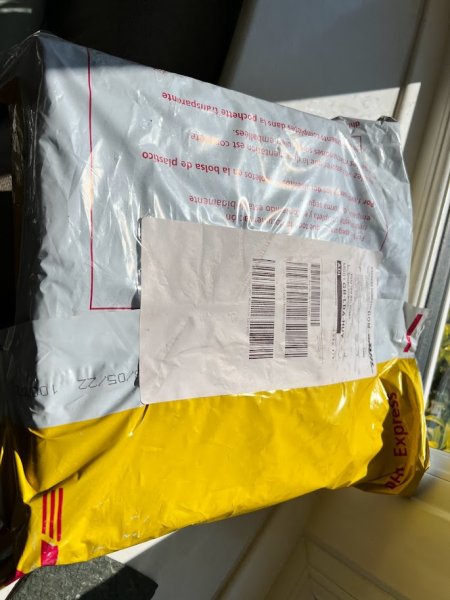
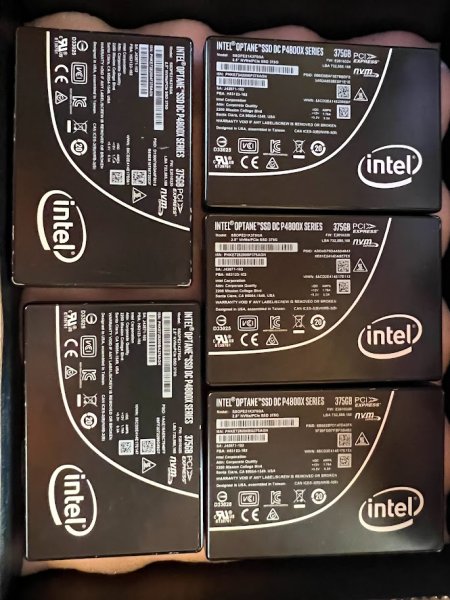
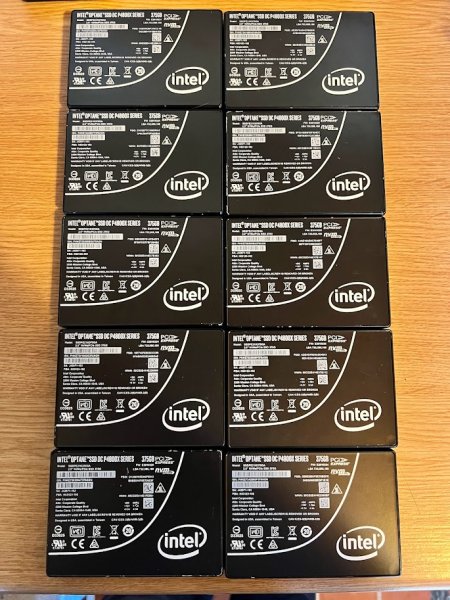
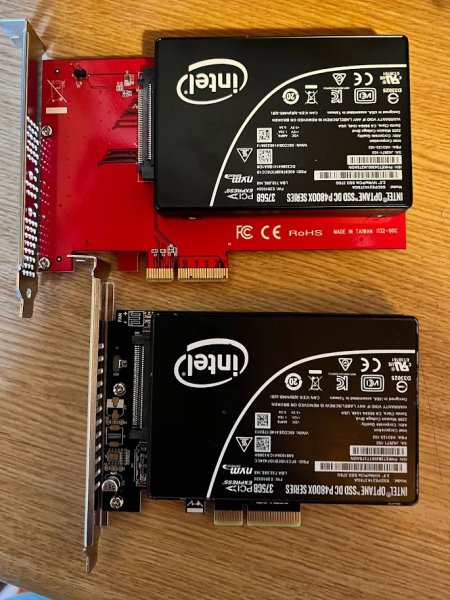
I received 10 (ten) #intel #optane – Intel® Optane™ SSD DC P4800X Series 375GB, 2.5in PCIe x4, 3D XPoint™

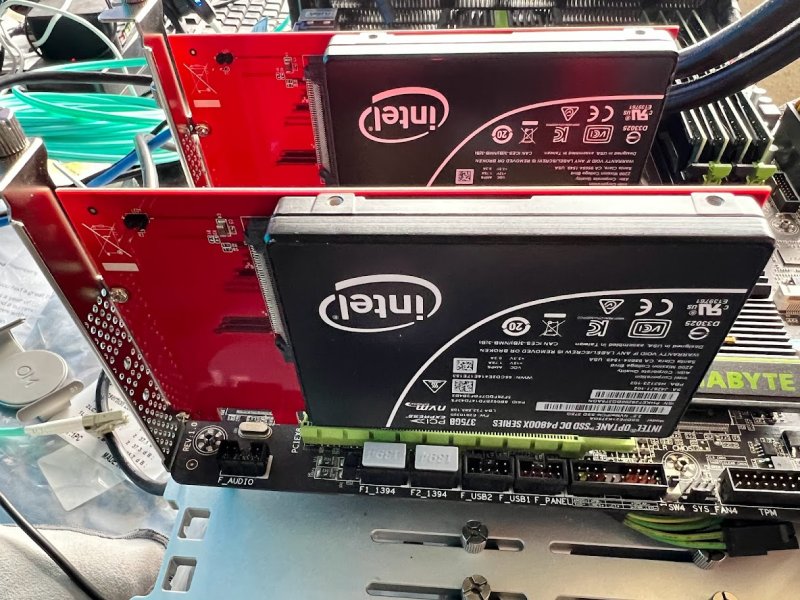
the form factor I selected for my #homelab was U.2 15mm, rather than a PCIe slot in card, because I want to use them, in the storage/disk slot of a server, I could connect them to a U.2 to PCIe card, but I would rather use them as “intended”.  More on the complications of that later with my #homelab.

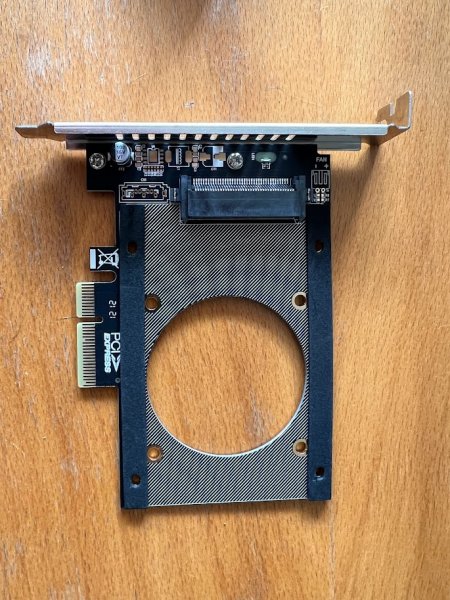
For ease, I did quickly connect them all to a recommended (thanks Mr vSAN) – StarTech.com U.2 to PCIe Adapter – x4 PCIe – For 2.5″ U.2 NVMe SSD – SFF-8639 PCIe Adapter – U.2 SSD – PCIe SSD – U.2 drive (PEX4SFF8639) for testing and formatting in my test bench. In fact I’ve now got a bucket full of these cards, I’ve tried and tested, how difficult can it be to connect a U.2. NVMe interface to a PCIe slot, when some cards are £50 GBP, and other cards are available from that well known China website for £1.99 GBP ! and some are described as Low Profile – NOT! – but more on that later!

You may notice if you look through the above photos, there is one U.2 #intel #optane unit with a RED DOT! Read on.

This because it was faulty, ah, or so I thought! I must admit, it was very odd, because it worked in Windows 10, and on checking in ESXi and Ubuntu, the devices were present.

esxi007-no-storage1

PCIe passthrough devices

esxi007-storage-adapters

Storage Adapters

Device visible in Ubuntu

But when trying to create a datastore, no device was available to create a datastore.

No storage for datastore visible

BUT BUT BUT After discussions with Mr vSAN,  Mr Todd (MrVSAN) suggested checking that the #intel #optane SSD how not been formatted to/with LBA 4K sectors! Because ESXi 7.0 and 8.0 does not support LBA 4K. I was surprised that it would not list the SSD device!

Interestingly on Twitter at the same time, another vExpert was also having similar issues!

Checking with an Ubuntu Live “CDROM” USB flash drive

Dell PowerEdge R730 UEFI BOOT


Dell PowerEdge R730 UEFI BOOT


Dell PowerEdge R730 Ubuntu

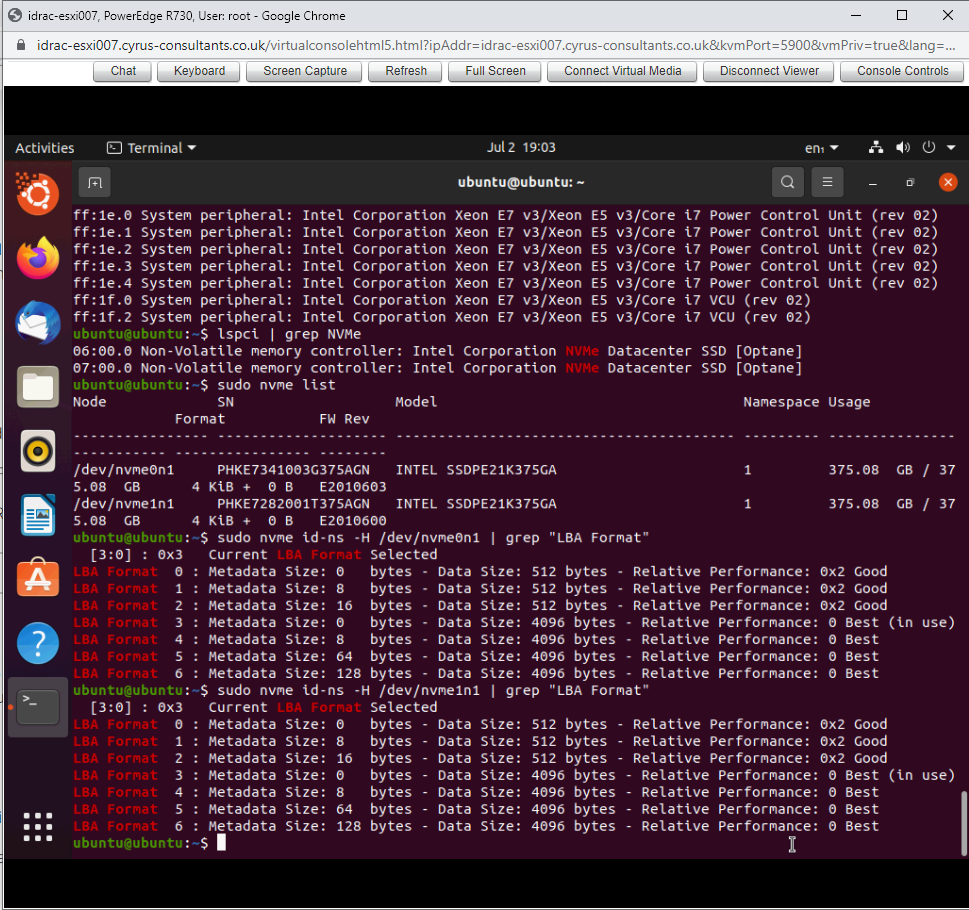
Using the nvme-cli, which you can pull using sudo apt-get install nvem-cli, and use the command sudo nvme list to list NVMe devices

to check the LBA format – sudo nvme id-ns -H /dev/nvmeXnY | grep “LBA format” you can see in the screenshot below I have two NVMe devices /dev/nvme0n1
/dev/nvme1n1 and both show

[3:0] : 03x Current LBA Format Selected

if you look at LBA Format 3: it states Data Size – 4096 bytes !

check LBA  – sudo nvme id-ns -H /dev/nvmeXnY | grep “LBA format”


Argh! 4K ! lets just reformat with – sudo nvme format -l 0 /dev/nvme0n1, it does not display any progress, as there is no -v verbose option, but eventually it will respond with Success Formatting Namespace:1

sudo nvme format -l 0 /dev/nvme0n1,

sudo nvme format -l 0 /dev/nvme0n1,

success 512k

for #shitsandgiggles I’ve left /dev/nvme1n1 formatted as 4k, but now above you can see /dev/nvme0n1 is 512 sectors, so now back and restart ESXi. I’ll do a quick video on /dev/nvme1n1 for Hancock’s VMware Half Hour

If I now check the storage devices in ESXi, there is a Local NVMe SSD available

storage devices

and if you now try to create a datastore – Viola!

device for datastore available

You will notice from the above storage device list the 4K formatted NVMe device is still missing. Q.E.D

Anyway kudos and my sincere Thanks to Simon Todd aka Mr vSAN !

So onward with my #intel #optane #homelab journey more later!