Author Archive

New HD Video: Backup VMware vSphere 4.x, 5.0 ESXi 4.x, ESXi 5.0, ESX 4.0 for FREE using VMware vCenter Converter

Saturday, October 29th, 2011

I get asked many times, “How do I Backup my Virtual Machines on my  VMware vSphere 4.x, 5.0 ESXi 4.x, ESXi 5.0, ESX 4.0 servers?”

Hopefully, this will answer that question.

Firstly, download VMware vCenter Converter v5.0 for free from here. Yes it’s FREE.

We usually use VMware vCenter Converter for Physical to Virtual (P2V) or Virtual to Virtual (V2V) conversions, but it can also be used to Convert or Export (“Backup”) a virtual machine to disk. We can then use VMware vCenter Converter to Convert or Import (“Restore”) this virtual machine to another VMware system.

Best answered with a quick 5 minute video clip, to set the scene:-

Source Server –  esx3iserver

Destination Server –nas (Western Digital World Book NAS), with a share called backup (\\nas\backup)

Virtual Machine to Backup – TestXPforEE

I’ve also connected to the NAS share from the converting Server (could be a workstation OS), to show the files being copied and exported to the share. (\\nas\backup). When selecting the destination source, virtual machine type, it does not matter what we select if imporing, restoring to VMware vSphere, as converter will be able to convert it back, if you want to use the virtual machine for VMware Workstation, VMware Player or Server, select the correct VMware virtual machine version.

[flv:https://andysworld.org.uk/wp-content/uploads/2011/10/VMware-vCenter-Converter-Backup1.flv 480 360]

In this way virtual machines which are Powered-On or Powered-Off can be Converted, Exported or Backed Up!

Andysworld! Moto: A BACKUP IS NOT A BACKUP, IF IT’S NOT STORED IN THREE PLACES!

How to restore in this blog – New HD Video: Restore a Virtual Machine using the FREE VMware vCenter Converter to VMware vSphere 4.x, 5.0 ESXi 4.x, ESXi 5.0, ESX 4.0


Replacement Samsung CLP-620ND Printer

Tuesday, October 25th, 2011

I almost “bust a gut” today moving my printers from the office to the local recycling centre, because I’ve just purchase a new replacement Samsung colour laser, CLP-620ND Printer, that also does duplex printing for 95 GBP with the 100 GBP cashback!

The HP LaserJets 1100, 2100N and Lexmark Optra SC 1275 had all failed with terminal faults, it was cheaper to purchase a replacement than repair!

scrap printers at recycling centre

scrap printers at recycling centre

Samsung CLP-620ND

New Samsung CLP-620ND

New HD Video: VMware vCenter Converter Standalone 5.0 – Convert monolithic sparse to monolithic flat for use with VMware vSphere 4.x, 5.0. ESXi 4.x, 5.0.

Tuesday, October 11th, 2011

Sometimes we may come across a Virtual Appliance or Virtual Machine, which has been developed and tested for VMware Server 2.0.2, VMware Workstation or VMware Player that we would like to use on VMware vSphere 4.x or 5.0. In this example I’m using Open Computers and Software Inventory Next Generation. The VMs supplied have been developed and tested with VMware Server and VMware Player.

Only issue is, when we try to turn on the Virtual Appliance, we get the error messageFailed to open disk scsi0:0: Unsupported or invalid disk type 7.  Ensure that the disk has been imported.” – in VMware vSphere 4.x or 5.0.

It’s possible that the virtual appliance virtual disk is probably monolithicSparse, and ESXi only works with pre-allocated disk (monolithicFlat).

No issue just use VMware Converter Standalone to convert the appliance or virtual machine.

This is my first outing with VMware vCenter Converter Standalone 5.0, oddly the earlier version 4.3, will not import into ESXi 5.0, it produces a General Fault. The vConverter for vCenter works okay with ESXi 5.0, but not the standalone version.

Rather than a lot of words, here’s a quick video demonstration of the Conversion. So VMware Converter has more uses than just P2V tool!


[flv:https://andysworld.org.uk/wp-content/uploads/2011/10/vmdk.flv 480 360]

An exciting Saturday…. No Electricity or internet for 11 hours and worst of all No Strictly Come Dancing!

Sunday, October 9th, 2011

I’ll set the scene, at the beginning of September (September 5th 2011) 

  1. one of the power supplies on a computers workstation, went bang and failed – reported here on Andysworld!,
  2. another power supply on another workstation, failed – OCZ power supply.
  3. Humax Fox-SAT STB power supply failed – reported here on Andysworld!.
  4. An electronic X10 switch failed which operates the backyard lamp.

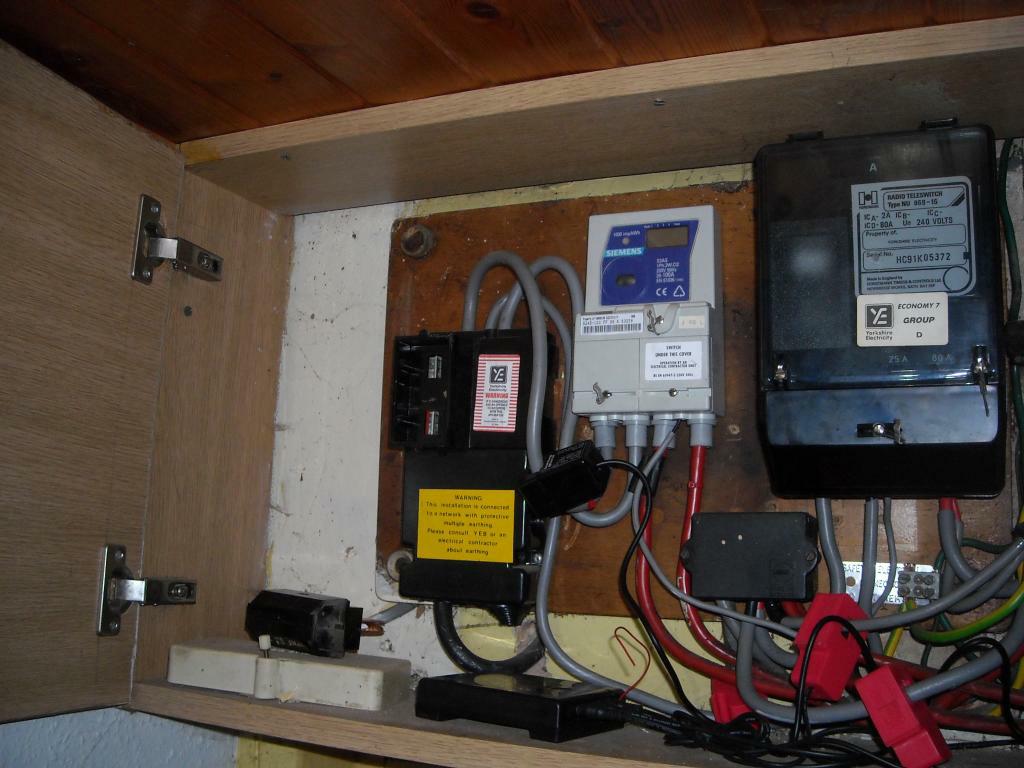
Diagnosing the fault with the backyard lamp, I noticed and reported to Boot Ferrule Man, (a qualified Electrician) and my neighbour, the mains voltage coming into the house was 256v AC! (which I suspect had blown and damaged the electronic X10 switch).  Boot Ferrule Man stated that was far too high, and out of tolerence, but when I checked on the internet, I was confused by the reported tolerences of AC voltage supply in the UK. At this time, I had not associated this “possible fault” with the other items 1-3 above.

Saturday 8th October 2011, a neighbour in the shire, knocked on the door at 11.00am, asking if we had, had any damage the previous night (7th October 2011) at 9.00, because a few properties in the shire, had items which had stopped working, lightbulbs, Freeview STB, Washing Machines, Central heating pumps, Sky Boxes, television mast head amplifiers etc

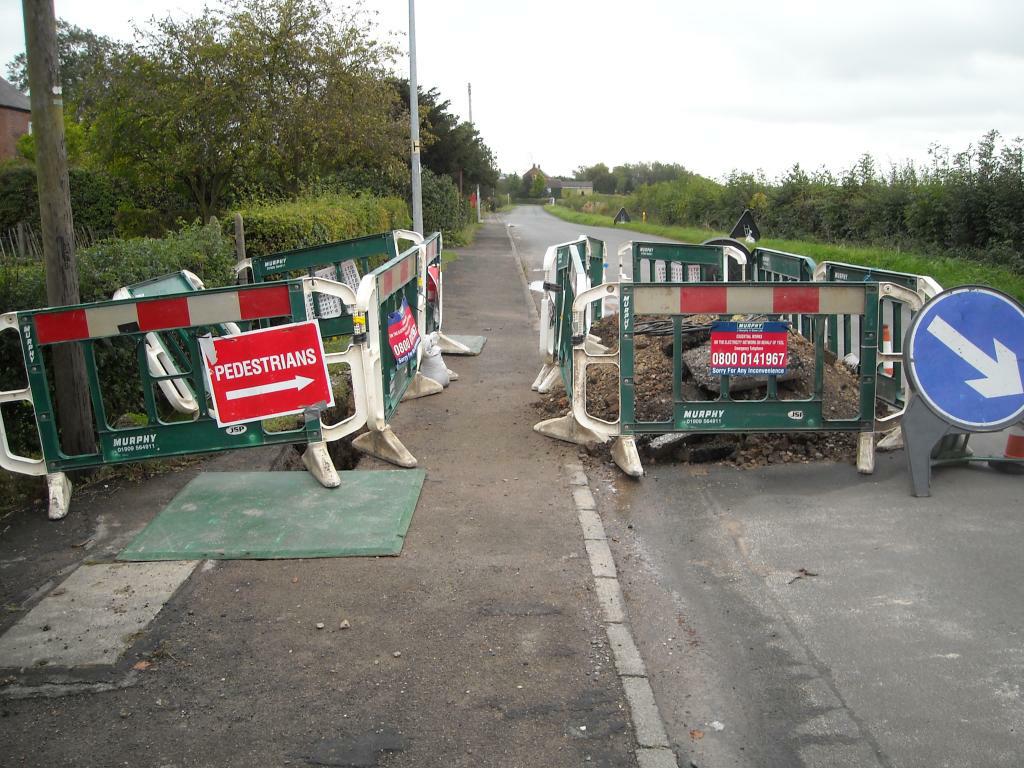
We had not noticed any, issues that evening. they reported the fault to YEDL, later Saturday afternoon (3.15pm), a YEDL Engineer visited our house, and disconnected us, because they found the electrical impedance to the property was at 1.3 ohms, the maximum impedance allowable is 0.35 ohms, and stated that they had tested that day 280V AC, at a few properties, the fault lay in the common neutral to all the houses, and their was a fault outside of the property, possibly due to water ingress into the underground cabling.  I asked the YEDL engineers, what time did they think service would resume, and they stated, the Digging Team was scheduled to arrive at 6.15pm, and they could not do any work, until thy arrived, so they tidied their YEDL VANs! They gave me a time of 10.00pm! I noticed that the YEDL, are going through a re-branding to CE Electric UK. These were some of the labels on the VANs, although they still had YEDL uniforms!

So I decided to power-up the petrol generator for the fish house.

Coincidence you may think, because in April 2010, they were fixing a joint underground, see here.

The YEDL engineers arrived on site, to fix the fault, but had to wait for the “digging team” before they could start work, the digging team eventually arrived at approx 7.30pm, because I just come back from the Chinese with our dinner, to eat in the dark with our headtorches, and my NEW ZEBRALIGHT!, which of course I purchased from my friendly Boot Ferrule Man. ZEBRALIGHT! Review coming soon!

Our electricity was not re-connected and tested until approx 2.30am, so with hindsight, it was a good job, I connected the petrol generator for the fish house, and this is the longest runtime, I’ve had it running 11 hours@3000Watts.

New Impedance tested to house is 0.29 ohms.

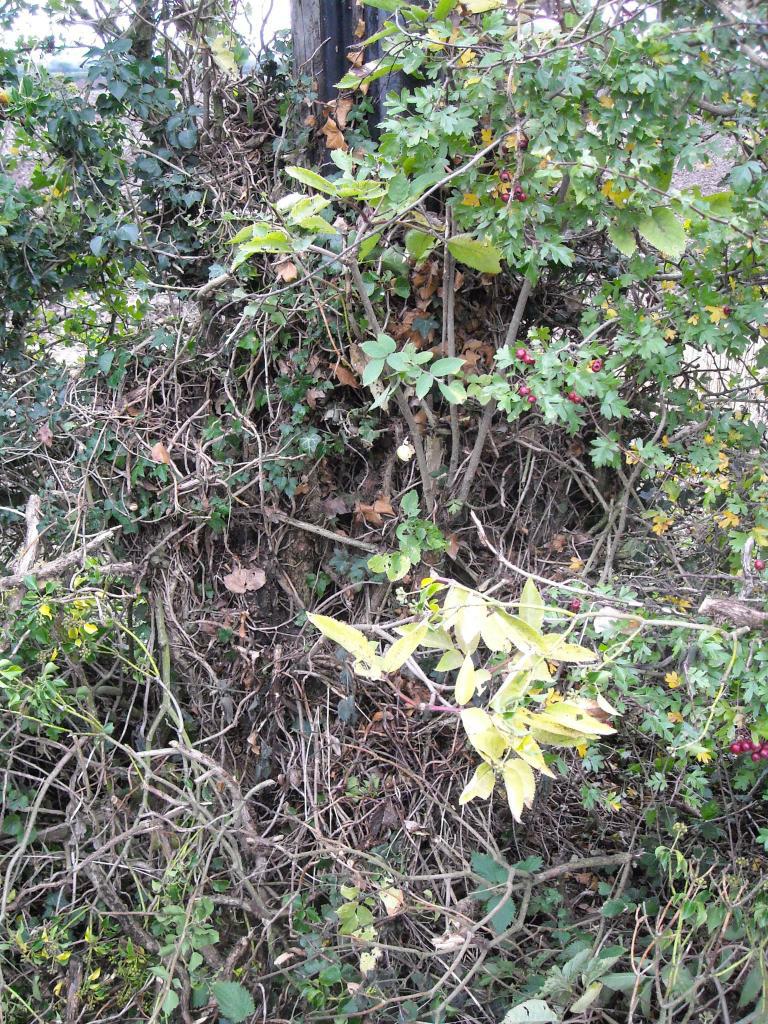
A few photos of the event!

Bye Bye Steve Jobs – The IT World will miss you!

Thursday, October 6th, 2011

I’ve just picked up my iPad, and learnt Steve Jobs has died peacefully today, surrounded by his family.

Deeply saddened by his passing, but his legacy with live on, in the devices we now use everyday.

Still Numero Uno at Experts Exchange

Sunday, October 2nd, 2011
Still on top at Exchange Experts on 2 October 2011

Still on top at Exchange Experts on 2 October 2011

Still On top in October 2011 after approx 4 months, this Year! Can leakim971 catch up!

Experts Exchange (EE) is a membership-based online “ask an expert” site for computer and IT related questions that was founded in 1996. Experts Exchange (EE) enables people with technology problems to quickly and easily solve their problems by collaborating with experts from around the world. Experts Exchange (EE) is the #1 resource on the web for solving IT related problems, pop over and take a test drive, and meet the Experts.

Checkout How it Works.

The 1st Certified Virtualisation Genius at Experts Exchange

Sunday, October 2nd, 2011

On Tuesday, 27 September 2011, I became the 1st Certified Virtualisation Genius at Experts Exchange. Here is a copy of my certificate.

Certified Virtualisation Genius at Experts Exchange

Certified Virtualisation Genius at Experts Exchange

Experts Exchange (EE) is a membership-based online “ask an expert” site for computer and IT related questions that was founded in 1996. Experts Exchange (EE) enables people with technology problems to quickly and easily solve their problems by collaborating with experts from around the world. Experts Exchange (EE) is the #1 resource on the web for solving IT related problems, pop over and take a test drive, and meet the Experts.

Checkout How it Works.

Genius Badges before Virtualisation Badge

Genius Badges before Virtualisation Badge

Genius Badges after Virtualisation Badge

Genius Badges after Virtualisation Badge

Thank you if you donated in September 2011 your Donation has been forwarded to WaterAid

Saturday, October 1st, 2011

Thank you if you donated in the month of September 2011 your Donation has been forwarded to WaterAid.

Microsoft Windows stores Serial Numbers of USB Flash Drives used in the OS!

Friday, September 30th, 2011

I’ve recently been forensically examining a Microsoft Windows computer. [secret squirrel stuff – If I tell you …….]

The computing community grilled Apple recently about storing iPAD/iPhone GPS locations on the hardware, which was fixed by a security patch,

But I had no idea, that Microsoft Windows stores ALL the Serial Numbers of ALL the USB Flash Drives or USB External hard disks ever used, with first used date, and last used date on the computer in the Computers’ Registry, they are not encrypted.

So, with this information, it’s very easy to prove, a USB flash drives or USB External disk was used on your computer, for ill gotten gains etc

So if you work for a crime syndicate, destroy that USB flash drive or USB external disk!

Table of USB Devices extracted from Windows Registry

Table of USB Devices extracted from Windows Registry

I was surprised that the serial numbers do match, I checked my LaCie iamaKey, I did not realize, that USB flash drives have serial numbers!

Installing Microsoft Windows 8 on VMware ESXi 5.0 using Nested Hypervisors

Thursday, September 29th, 2011
Microsoft Windows 8 on VMware ESXi 5.0

Microsoft Windows 8 on VMware ESXi 5.0

Not being able to run Microsoft Windows 8 (Developers Preview) on ESXi 5.0 directly, I decide to try out the new Nested functions that exist within VMware ESXi 5.0. With VMware ESXi 5.0, it makes it easier to run Nested 64bit Operating Systems.

and all you need to do is the following:-

Add vhv.allow = “TRUE”‘  to /etc/vmware/config

Create a new virtual machine, I selected Microsoft Windows Server 2008 R2. Once you have created your new Virtual Machine, Power Down, and change the following Options.

Edit the Virtual Machine Properties, Select Options, General Options, and Change the Guest Operating System type to Other: – VMware ESXi 5.0.

Guest Operating System Version VMware ESXi 5.0

Guest Operating System Version VMware ESXi 5.0

This changes the OS, so you can run Nested Hypervisors, and makes the Intel VT or AMD-V functions available to your Guest OS.

Then I installed VMware Workstation 8.0 in the VM, and voila!

It’s a little cheat! But proves Nested Hypervisors works correctly in ESXi 5.0!