Archive for the ‘All’ Category

Andy is Certified! – Level 2 Award in Food Safety in Catering – Safe Food Handling

Sunday, May 17th, 2015

I spent three hours this weekend, obtaining a new Certificate.

I now have a Level 2 Award in Food Safety in Catering – Safe Food Handling.

This is my certificate

 Level 2 Award in Food Safety in Catering - Safe Food Handling

Level 2 Award in Food Safety in Catering - Safe Food Handling

This maybe a requirement in the future, for the preparation and selling jars of honey, but also now beneficial to have if you deal with food preparation and supply, as a food handler for human consumption.

Andy’s AmazonLocker Experience

Friday, May 1st, 2015

I noticed several weeks ago, AmazonLockers were being installed on Campus.

AmazonLocker on Campus

AmazonLocker on Campus

So I’ve been waiting for an excuse to order a gadget from Amazon.co.uk, to try out this new AmazonLocker Experience.

My Dad has been reviewing and raving about these new bluetooth headphones he purchased from Amazon.co.uk, for £15.

They are called Soundpeats Qy7 Mini Lightweight Wireless Stereo Sports/running & Gym/exercise Bluetooth Earbuds Headphones Headsets W/microphone for Iphone 5s 5c 4s 4, Ipad 2 3 4 New Ipad, Ipod, Android, Samsung Galaxy, Smart Phones Bluetooth Devices (QY7, black/green). I’ll get him to review them, or I’ll quickly do a blog on them later.

I was discussing with my colleague this morning, about what time would my Amazon Delivery arrive, and I received a SMS Text message from Amazon with a code for the locker.

2015-05-01-103457

I quickly legged it over to the Student Union on Campus, to retrieve my parcel.

Entered the code into the keypad

Entered the code into the keypad

As if by magic, a locker door springs open, revealing my parcel..

Locker door opens

Locker door opens

I quickly grabbed the parcel, closed the door, and returned to my office.

My Amazon Parcel

My Amazon Parcel

and it’s contents…

Soundpeats Qy7 Mini Lightweight Wireless Stereo Sports/running & Gym/exercise Bluetooth Earbuds Headphones Headsets W/microphone for Iphone 5s 5c 4s 4, Ipad 2 3 4 New Ipad, Ipod, Android, Samsung Galaxy, Smart Phones Bluetooth Devices (QY7, black/green)

Soundpeats Qy7 Mini Lightweight Wireless Stereo Sports/running & Gym/exercise Bluetooth Earbuds Headphones Headsets W/microphone for Iphone 5s 5c 4s 4, Ipad 2 3 4 New Ipad, Ipod, Android, Samsung Galaxy, Smart Phones Bluetooth Devices (QY7, black/green)

You can grab a pair here from Amazon.co.uk – Soundpeats Qy7 Mini Lightweight Wireless Stereo Sports/running & Gym/exercise Bluetooth Earbuds Headphones Headsets W/microphone for Iphone 5s 5c 4s 4, Ipad 2 3 4 New Ipad, Ipod, Android, Samsung Galaxy, Smart Phones Bluetooth Devices (QY7, black/green), and they’ve just now been reduced to £14.99, I paid £15.23 (30/04/15)

Andy’s bought a greenhouse!

Tuesday, April 7th, 2015

I’ve spent the last two days, taking down a second hand greenhouse…this is a photograph I took, to remind me of how it looked…

Greenhouse with all glass removed

Greenhouse with all glass removed

so I can re-assemble the hundreds of bits I have…later in my garden!

Adam’s Homebrew 3D Printed Quadcopter Flight No.2 and Crash – oh dear!

Tuesday, March 24th, 2015

This quadcopter chassis was printed, on a 3D printer, an Ultimaker II, in our office, and electronics and motors were added, and this is Adam flying it, on it’s second flight! I’m running around, trying not to get hit, whilst I film it, for checking later.

This is the fun stuff, we get up to!

oh yes, it crashed, but no problems, we will just print new parts to fix it, and it will be back up and running!

Beautiful Scenery, Lovely People, Beautiful Bhutan!

Thursday, March 19th, 2015
Dzong in Punakha, Bhutan

Dzong in Punakha, Bhutan

We spent all day here, at the festival, and had a picnic, with fellow Bhutanese people, inside the temple, on the grass at the entrance, and we shared our food with the local people, and young children, and the food that we didn’t eat we gave to the temple dogs! (at the next incarnation, dogs become incarnated as people in the human realm!).

Good Karma!

Bhutan is a very special place, I’ll remember the people and place for ever, it also has Beautiful Scenery!

Back from India and the Kingdom of Bhutan

Thursday, March 12th, 2015

Just returned from a month in India and Bhutan, so here is a taster of photographs to come…

india1

india2

india3

Experts Exchange sponsor me to go to VMworld Europe 2015 in October

Friday, February 6th, 2015

For being awarded Top Contributor 2014 at Experts Exchange, my prize, not only the usual T-shirts, and trophies, but also an all expensive paid trip to VMworld Europe 2015!

So it’s not all about T-Shirts!

vmworld-20151

This is the email from Melanie Spatola, Community Manager at Experts Exchange.

vmworld-2015-letter1

There’s an article here written by  Brian Clausen, CEO, Experts Exchange – How to Get the Most Career Value From Social Networking, and here The Benefit of a Global, Online Peer Network, which are interesting reading!

3 Awards in 2015 – VMware vExpert 2015, Microsoft IT Pro New Year’s Honours List 2015 and Experts Exchange Top Contribution Award 2014

Friday, February 6th, 2015

So in 2015, I’ve been Awarded

VMware vExpert 2015 (again, fifth year this year, 2011-2015)

vexpert

Experts Exchange Top Contribution Award 2014 (this is a new award, but it’s like a supercharged Expert of the Year 2014, or MEGA Expert of the Year 2014, so again four years in a row, 2014-2011)

topcontributor

Microsoft IT Pro New Year’s Honours List 2015

Now you are all probably thinking, oh no not more T-Shirts, my prize and award for being the Top Contributor 2014 at Experts Exchange, is an all expensive paid, sponsored trip to VMworld Europe 2015 in Barcelona.

vmworld-2015

Bee Hives in the Snow Feb 2015

Tuesday, February 3rd, 2015
Snow in the "Shire"!

Snow in the "Shire"!

Second time this year, that it’s snowed. so went down to the apiary, to check on the bees, and took some photos in the glorious sunshine.

beehives-in-feb-2015-1

Andy's Apiary

The colonies were treated by vaporising with oxalic acid crystals, one week ago, to reduce the levels of phoretic varroa destructor mites, which at this time of year are actually living on the honey bees (Apis mellifera), because my colonies are broodless at present.

The varroa destructor mite was introduced into the UK, in 1992, honey bees (Apis mellifera) have no natural defence to it, and we need to check regularly, as part of our integrated pest management, to ensure the levels are kept low, it cannot be completely eradicated (yet!), over populations of varroa destructor, can lead to colony collapse, it’s also a vector for disease and viruses in  honey bees (Apis mellifera). Varroa destructor reproduce by female mite enters the brood cell, with bee larva, just before the cell is capped, and lays her eggs on the bee larva, when the cell is uncapped, out come the young mites. So, no brood, no larva, all the mites on on the bees, so an easy target to treat, hence why we treat in broodless periods, between November – February.

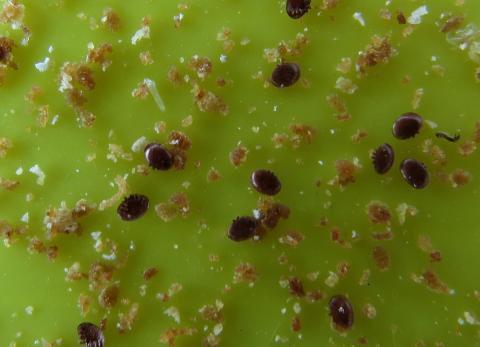
How do we know, they have mites, we use a sticky inspection board, inserted into the bottom of the hive, the mites drop off the bees, and stick on the board, and then we count them! (yes they can easily be seen with the naked eye!).

sticky inspection board to count varroa destructor mites

sticky inspection board to count varroa destructor mites, brownish spot = mite !

a close up of some varroa destructor mites

a close up of some varroa destructor mites

close up varroa destructor mites, you can see their legs or mouth parts

close up varroa destructor mites, you can see their legs or mouth parts

and I added 2.5kg of ambrosia fondant to each hive. (An insurance policy, to prevent them starving – to help feed them during the winter period), and they are securely lashed down, using hive straps.

.

HOW TO: Deploy and Install the VMWARE vCenter Server Appliance 6.0 (VCSA 6.0)

Monday, February 2nd, 2015

In my previous Experts Exchange Articles, most have featured Basic and Intermediate VMware and Virtualisation Topics.

If you would like to read my Basic VMware articles, they are listed at the end of this article for your convenience.

This article will show you HOW TO: Deploy and Install the VMWARE vCenter Server Appliance 6.0, also known as the vCenter Linux Appliance, or VCSA 6.0.

You cannot trial the VMWARE vCenter Server Appliance 6.0, you must have a license for VMware vSphere vCenter Server 6.0 to download the appliance from VMware. Previous versions of the  VMWARE vCenter Server Appliance were supplied as a ready made OVF for download, this procedure has now changed in version 6.0, and a ISO (DVD image) now has to be downloaded.

Download the VMware-VCSA-all-x.y.z-abcdefg.iso (DVD image) from VMware. The filename used in this tutorial is called VMware-VCSA-all-6.0.0-2175370.iso, the build number and filename are likely to change when generally available.

Burn or Mount the VMware-VCSA-all-6.0.0-2175370.iso (DVD image) on your Administration workstation.

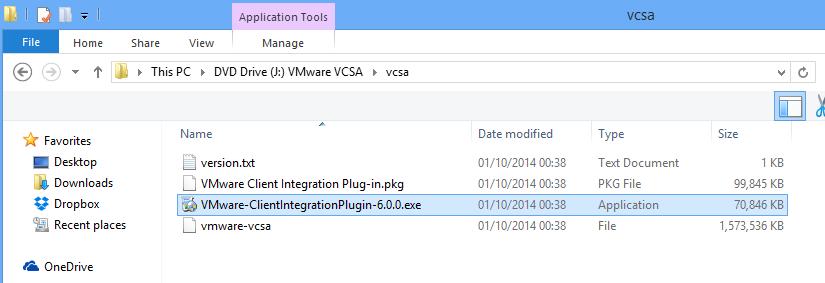
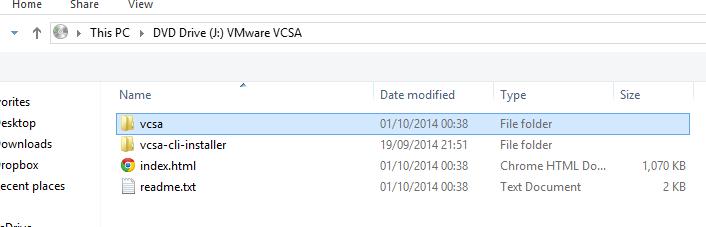
In the VCSA folder on the DVD, install the VMware-ClientIntegrationPlugin-6.0.0.exe before you begin. (You will need to close your browser).

1. Install the VMware-ClientIntegrationPlugin-6.0.0.exe application

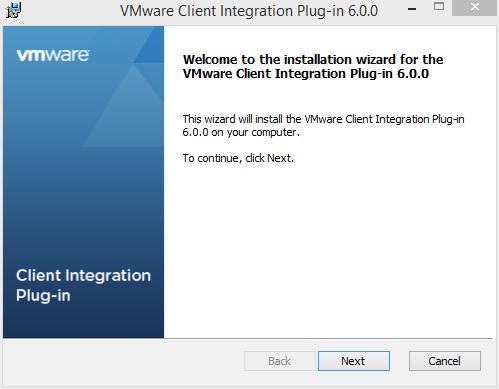
Double click the VMware-ClientIntegrationPlugin-6.0.0.exe application.
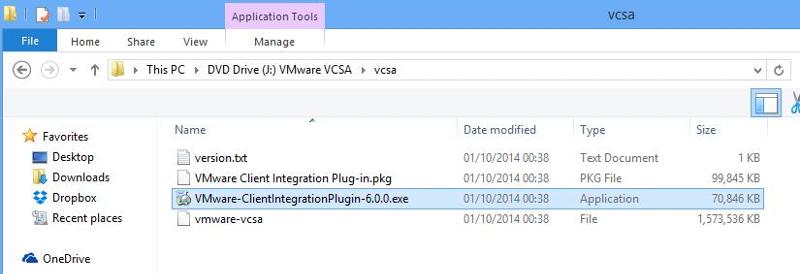
vcsa1.jpgClick Next to start the installation.
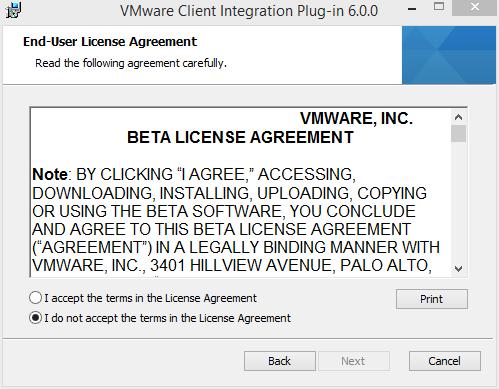
vcsa2.jpgAccept the End User License Agreement, and Click Next to continue.
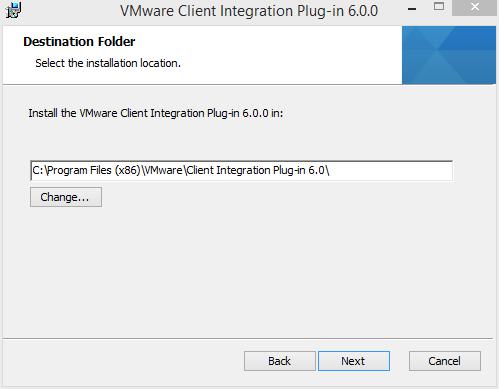
vcsa3.jpgYou can change the program location if required, click Next to continue.
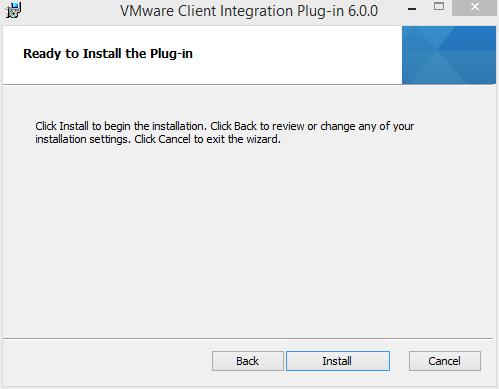
vcsa4.jpgClick Install to start the installation
vcsa5.jpg
Click Finish to complete the installation.
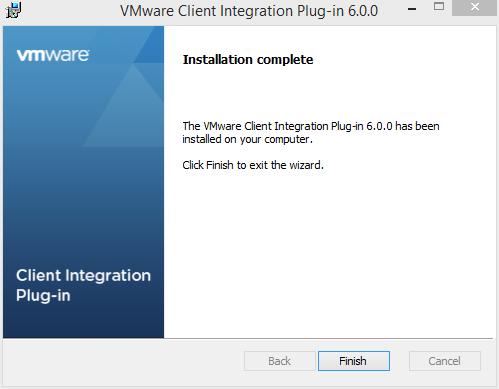
vcsa6.jpg

2. Installing the VMWARE vCenter Server Appliance 6.0.

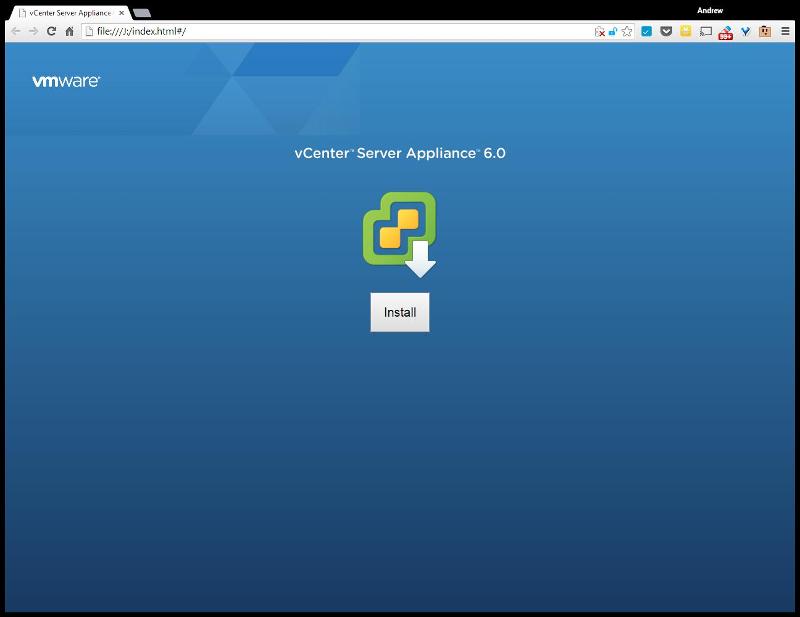
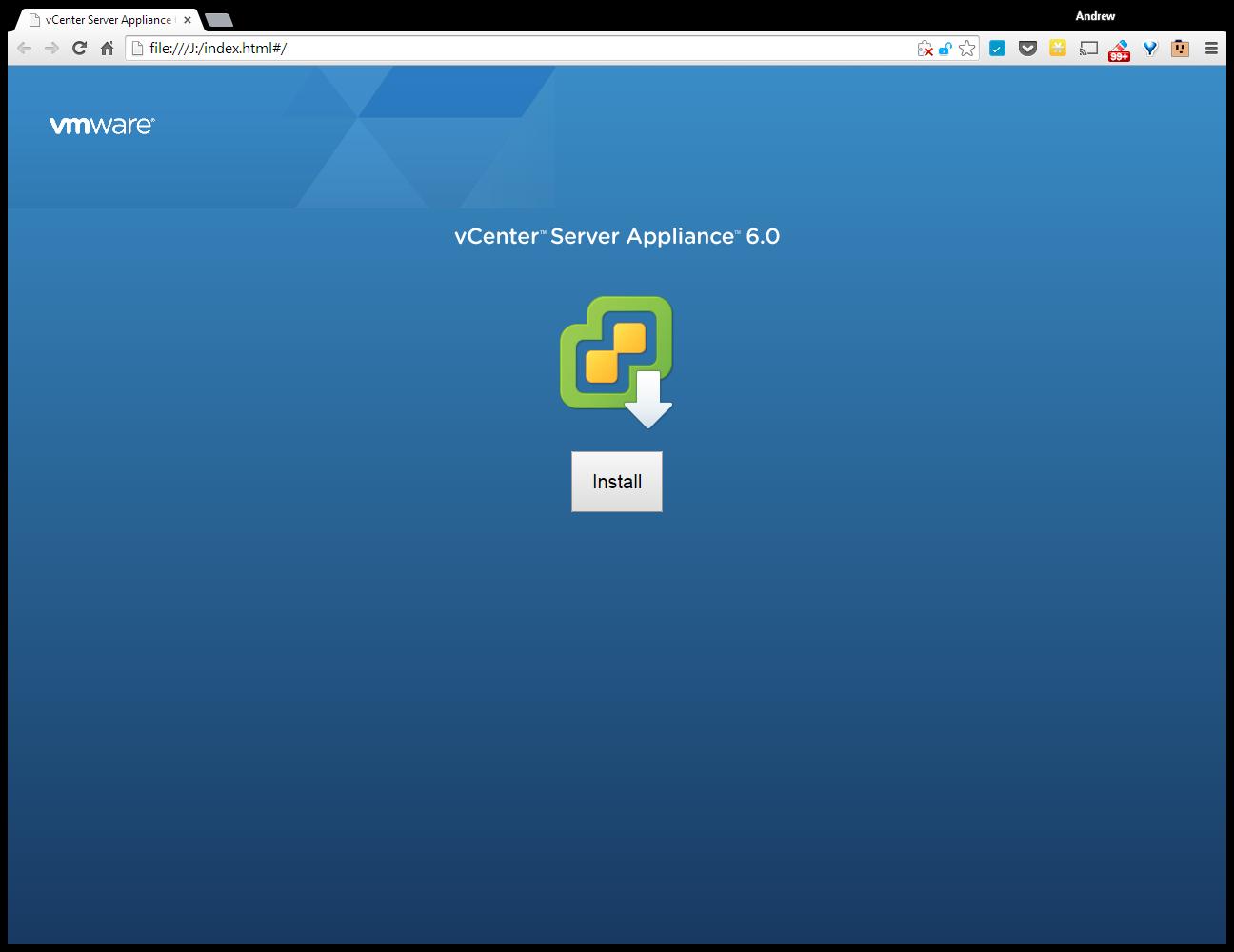
Double Click the index.html file in the root of the DVD.
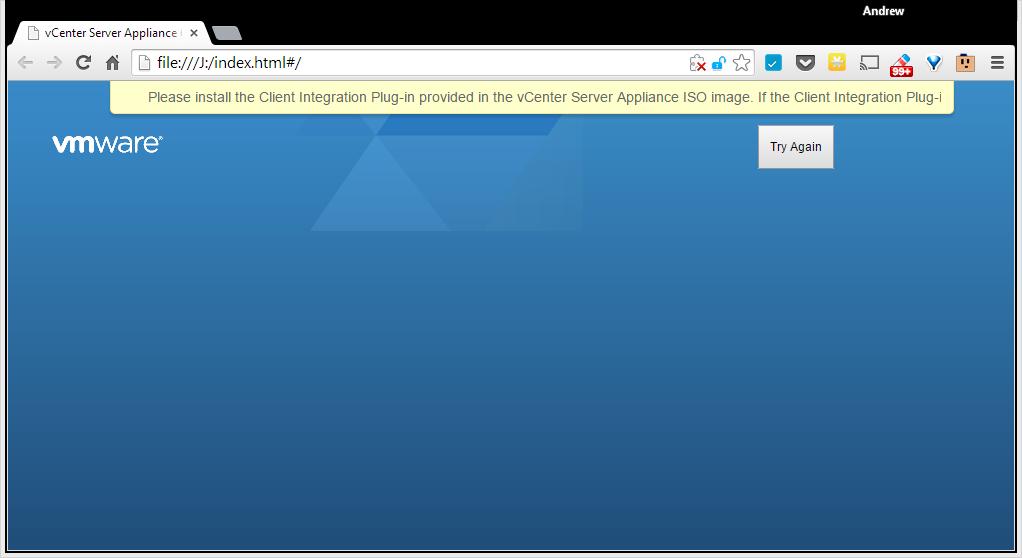
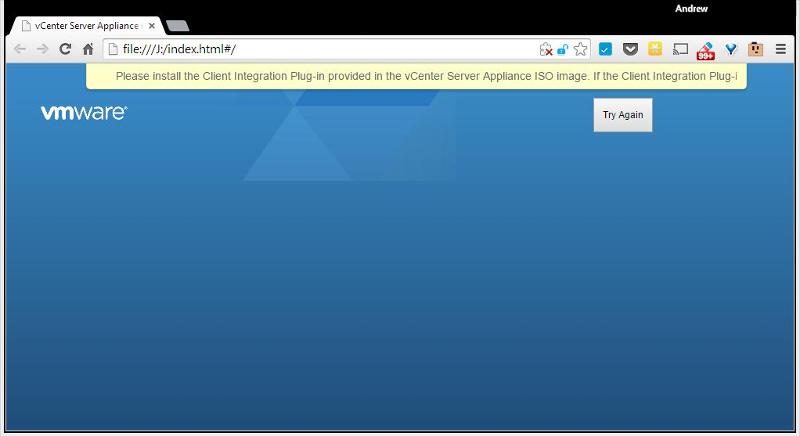
vcsa7.jpgEnsure pop up blockers to no block the Client Integration Plugin.
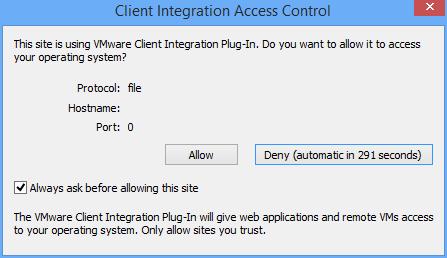
vcsa8.jpgSelect Allow, so the VMware Client Integration Plug-In can access the operating system.
vcsa9.jpgSelect and Click Install

vcsa10.jpg
Accept the End User License Agreement, and Click Next to continue.

2015-01-03-17-12-52-vCenter-Server-AppliEnter the FQDN or IP Address of an VMware vSphere ESXi Host Server.

2015-01-03-17-15-30-vCenter-Server-AppliClick OK, if a certificate warning is displayed. (this is likely if your certificate does not match your FQDN).

2015-01-03-17-17-11-vCenter-Server-AppliEnter the name for the VMWARE vCenter Server Appliance 6.0 or accept the defaults. Enter and remember the password for the appliance.

2015-01-03-17-19-02-vCenter-Server-AppliSelect and use an Embedded Platform Services Controller. Click Next to continue.

2015-01-03-17-21-06-vCenter-Server-AppliSetup and Configure Single-Sign-On. (Remember the password!). Enter a password, for Single Sign-On, Domain Name, and Site Name, I would recommend, using vsphere.local for the domain name, and remembering the password! Click Next to continue.

2015-01-03-17-23-24-vCenter-Server-AppliSelect the appliance size.

  • Embedded-Tiny (up to 20 hosts, 400 VMs) – 2 vCPU and 8GB of memory
  • Embedded-Small (up to 150 hosts, 3,000 VMs) – 4 vCPU and 16GB of memory
  • Embedded-Medium (up to 300 hosts, 6,000 VMs) – 8 vCPU and 24GB of memory
  • Embedded-Large (up to 1000 hosts, 10,000 VMs) – 16 vCPU and 32GB of memory

In this tutorial, we are going to deploy a tiny appliance, but make sure you have 2 vCPU and 8GB of memory in the ESXi host server.

2015-01-03-17-25-14-vCenter-Server-Appli
Select a datastore to install the appliance, and select Next to continue.

2015-01-03-17-29-55-vCenter-Server-AppliIt will check the datastore for storage space

2015-01-03-17-30-37-vCenter-Server-AppliSelect and use an Embedded vPostgres database

2015-01-03-17-31-46-vCenter-Server-AppliEnter network settings for the appliance, we have specified a static IP Address, and a FQDN of vcsa6.cyrus-consultants.co.uk.  We also selected an external NTP server for time synchronisation, and enabled SSH.

2015-01-03-17-33-56-vCenter-Server-Appli
Review the settings, and click Finish to start the installation and deployment of VMWARE vCenter Server Appliance 6.0.

2015-01-03-18-40-40-vCenter-Server-AppliThe appliance is deployed

2015-01-03-18-40-58-vCenter-Server-Appli2015-01-03-18-41-10-vCenter-Server-Appli2015-01-03-18-42-39-vCenter-Server-AppliPackages are deployed

2015-01-03-18-43-24-vCenter-Server-Appli2015-01-03-18-43-29-vCenter-Server-Appli2015-01-03-18-43-33-vCenter-Server-Applithe appliance is configured

2015-01-03-18-44-20-vCenter-Server-AppliStarting Services

2015-01-03-18-51-29-vCenter-Server-Appli2015-01-03-18-55-39-vCenter-Server-Appli2015-01-03-19-00-51-vCenter-Server-AppliInstallation Completed. Click the link provided to connect to vCenter Server Appliance via your browser.

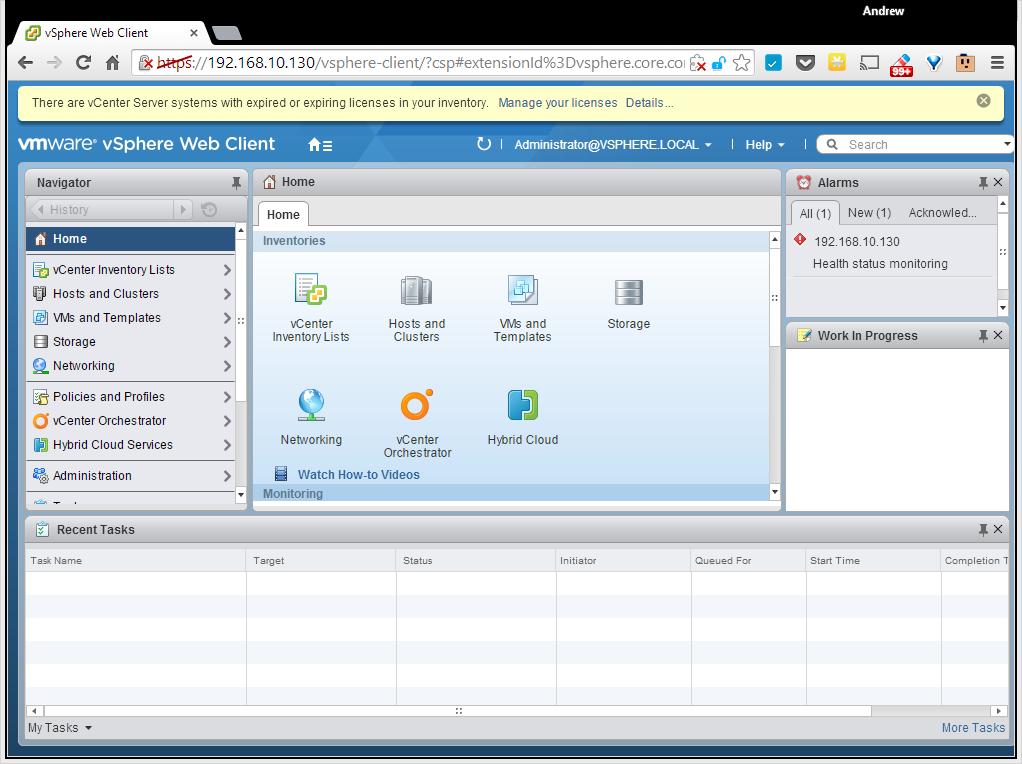
2015-01-03-19-01-26-vCenter-Server-AppliEnter your Administrator@vsphere.local username and password.
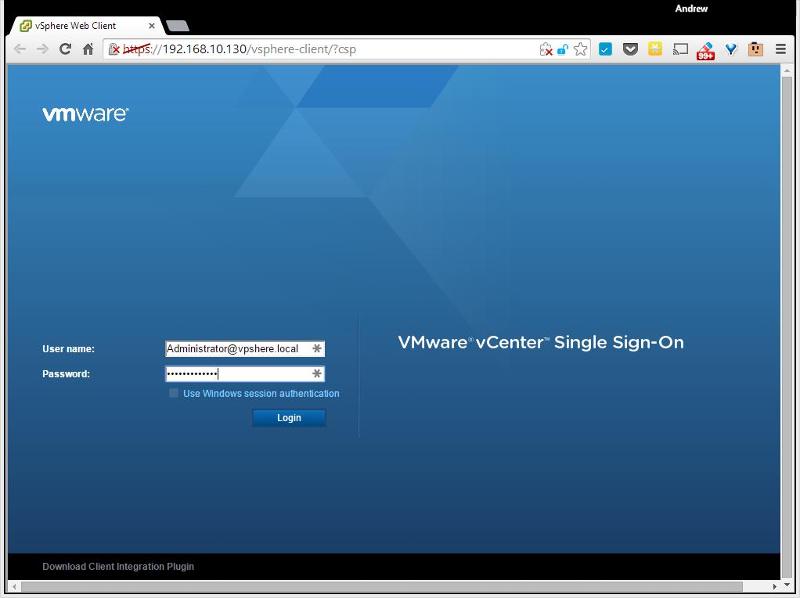
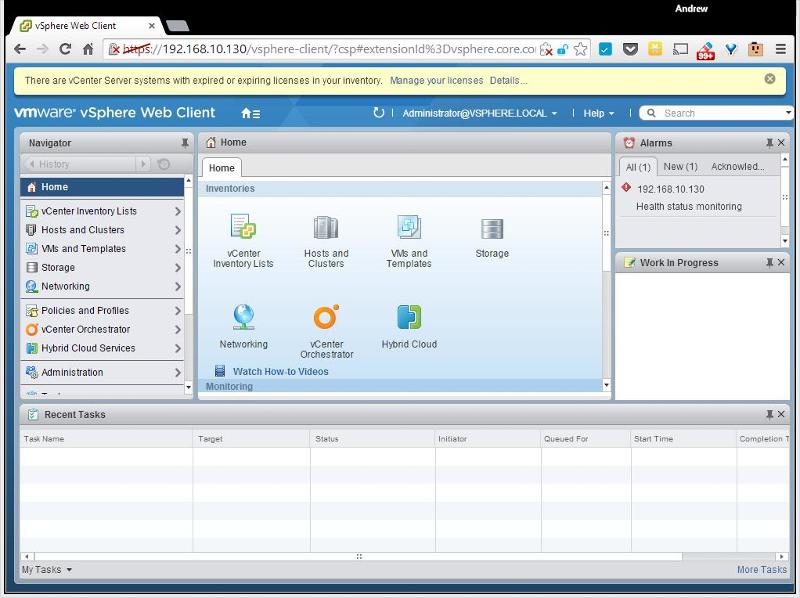
vcsa11.jpgYou are connected to vCenter Server

vcsa12.jpgCongratulations you have successfully deployed and installed the VMWARE vCenter Server Appliance 6.0.

Basic VMware Articles Series:

During this series of articles VMware released VMware vSphere 5.5 and VMware vSphere Hypervisor ESXi 5.5. These articles are also applicable to VMware vSphere Hypervisor ESXi 5.0 and 5.5. For consistency, I have used VMware vSphere Hypervisor ESXi 5.1 throughout this series.